

Astro.js with Docker on your VPS: static (Nginx) or dynamic (Node.js). Full tutorial with current Dockerfiles, Docker Compose, and deployment workflow.
Astro.js with Docker on your VPS: static (Nginx) or dynamic (Node.js). Full tutorial with current Dockerfiles, Docker Compose, and deployment workflow.

Set up a Raspberry Pi as an energy-efficient home server with Docker, AdGuard Home, Traefik and UFW firewall. Step-by-step guide with power cost calculator.

Is Debian really leaner and faster than Ubuntu? I benchmarked both operating systems as Docker hosts using a comprehensive script to find the real answer.
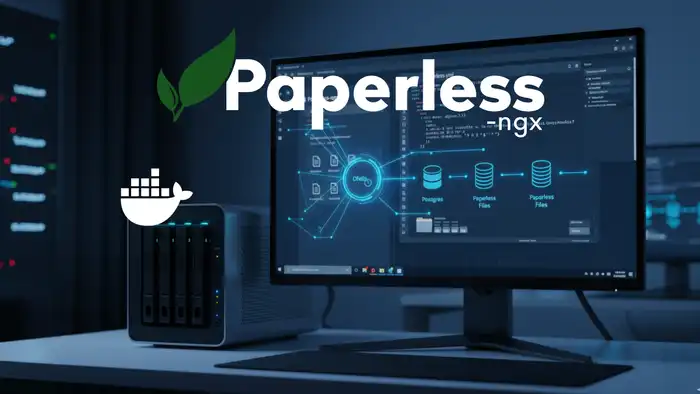
Set up automated backups for Paperless-ngx directly in your Docker stack using Ofelia. Schedule reliable cron jobs — no external server needed. Full guide.
Create a secure, incremental Paperless-ngx backup with Docker and restore your documents in an emergency. The complete step-by-step guide for your DMS setup.
Learn how to install Paperless-NGX on your Synology NAS — a powerful open-source document management system — using Docker and Portainer. Step-by-step guide.

Install Bookstack, a powerful open-source knowledge base, on your own server with Docker and Docker Compose. Step-by-step guide for easy self-hosted setup.

Set up Immich as a private photo cloud on your homeserver. Step-by-step guide for NAS or Ubuntu — the privacy-friendly alternative to Google Photos.

Convert PFX certificates to PEM and set up SSL/TLS for your Nginx container in Docker. A practical, step-by-step guide for self-hosters to secure their web apps.
Install Neko as a virtual browser on your own server. Collaborative surfing with Docker Compose – self-hosted, private, and team-ready. Complete setup guide!

Install Home Assistant with Docker on a Raspberry Pi and build your own private smart home. Step-by-step guide for a powerful, self-hosted automation setup.
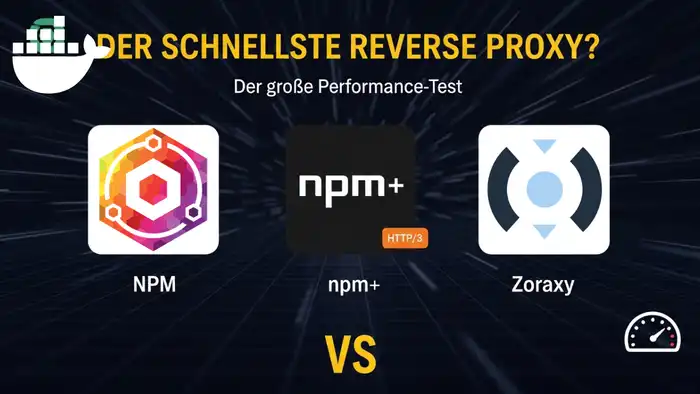
Performance benchmark: Nginx Proxy Manager vs. NPM+ (HTTP/3) vs. Zoraxy. Discover which reverse proxy is the fastest and easiest for your self-hosted setup.

Create interactive presentations with Claper. This guide shows you step-by-step how to install and secure Claper on your own server using Docker and Docker Compose.
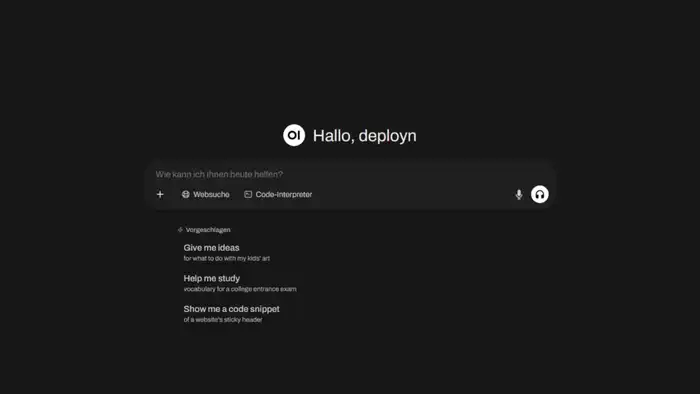
Install Open WebUI with Docker and Ollama on your own server for a private, powerful ChatGPT alternative. Step-by-step guide to a local, privacy-first AI setup!

Install Karakeep as your self-hosted bookmark manager with Docker. Includes Caddy reverse proxy and optional AI integration – full control over your bookmarks!
Which database fits your project best? A detailed performance benchmark comparing PostgreSQL, MariaDB, and SQLite with practical recommendations for your setup.
Install Gitea with Docker and Caddy as a reverse proxy. A beginner-friendly, step-by-step guide to setting up your own lightweight, self-hosted Git server.

Install Dawarich to gain full control over your location data. Step-by-step guide to self-hosting with Docker, Docker Compose, and Caddy as proxy for privacy.

Install Paperless-ngx with Docker on your VPS and securely access your documents from anywhere. Complete guide with Caddy reverse proxy and WireGuard VPN.

Install Uptime Kuma with Docker Compose on your VPS. Monitor websites, servers, and services with real-time alerts. A complete open-source monitoring setup guide.
Install Timetagger, an open-source time tracking tool, on your own server with Docker Compose. Track projects and hours with full data control. Step-by-step guide.
Install Nginx Proxy Manager on your Synology NAS with Docker. Assign a dedicated IP to avoid port conflicts, manage SSL, domains, and more – start now!

Host your own password manager with Vaultwarden. Install it as a Docker container, configure Caddy as reverse proxy, and secure access with Fail2Ban. Complete guide.

Protect your Docker data and databases reliably with Duplicati. Set up automated backups, including cloud storage. Open source, flexible, and easy to configure.

Compare the best open-source comment systems for 2025: Giscus, Cactus, Comentario & more. Find the perfect self-hosted commenting solution for your website.
Install Vaultwarden on your Synology NAS with Docker. Self-host your passwords securely and privately. Complete step-by-step setup guide for your NAS.

Set up your own dedicated OpenTTD server with Docker for multiplayer Transport Tycoon. This step-by-step guide covers everything — free and self-hosted.

Learn how to bypass DS-Lite with a tunnel and make your local services accessible via a reverse proxy using Docker and Pangolin. Complete step-by-step guide.

Set up your own private cloud with Nextcloud on a VPS using Docker and Caddy as a reverse proxy. Beginner-friendly step-by-step guide – start your cloud today!

Set up your Ugreen NAS as a full homeserver: hardware prep, Docker, network config, and more. A detailed step-by-step guide to get you started quickly.
Monitor your internet speed with Speedtest Tracker. Run automatic speed tests, track history, and view charts. Set it up easily as a Docker container on your server.

Install Linkwarden on your Synology NAS and take control of your bookmarks. A self-hosted bookmark manager with easy Docker setup – manage links efficiently!

Learn step-by-step how to merge two self-hosted Plausible Analytics instances using Clickhouse. The complete guide for consolidating your web analytics.

Install the privacy-friendly Google Analytics alternative Plausible with Docker and Traefik. Set up self-hosted web analytics on your own server step by step.

Set up your Ubuntu homeserver step-by-step: from base configuration to your first Docker containers. The complete guide for beginners. Start building today.

Install Paperless-ngx with Docker on your homeserver and transform your office into a paperless system. The complete step-by-step guide for your DMS setup.

Set up your Synology DiskStation from scratch: VPN, DDNS, Firewall, Docker, and Nginx Proxy Manager. The complete NAS homeserver setup guide for beginners.

Install Crater on your Synology NAS with Docker. Create invoices, track expenses and payments with this free, open-source billing solution for your NAS.

Install Calibre on your Synology NAS with Docker. Manage and organize your e-books, convert formats, and use Calibre-Web as a web interface on your NAS.

Install the free personal finance software Firefly III on your Synology NAS with Docker. Manage income and expenses privately and clearly on your own server.

Automate workflows efficiently with n8n. Set it up with Docker and Traefik as a reverse proxy, including SSL and practical examples – save time automating!

Step-by-step guide: Build a blog with Gatsby.js and Ghost as a headless CMS. Set up everything on your VPS, configure Docker, and publish your website.

Run Ghost CMS with Docker behind a Traefik reverse proxy. A step-by-step guide for building your own blog system with SSL and a custom domain – get started now!
Set up your Asustor NAS as a homeserver step by step: VPN, firewall, reverse proxy, Gitea and Calibre with Docker. The complete NAS homeserver guide.

Set up your own mail server with Mailcow and Docker. Run it behind Traefik as a reverse proxy with SSL, spam filtering, and webmail – complete step-by-step guide!

Set up the container manager Portainer behind Traefik as reverse proxy. Manage your Docker containers conveniently via the web interface from anywhere.

Replace Disqus with Commento++, a privacy-friendly commenting system. Self-host it with Docker and Traefik reverse proxy for full data control on your blog.

Set up a self-hosted e-book manager with Calibre and Calibre-Web as GUI behind Traefik reverse proxy. Manage your e-books privately on your own server.

Host your own privacy-friendly web analytics with Shynet. Learn how to deploy Shynet as a Docker container behind a Traefik reverse proxy. Step-by-step setup guide.

Set up your server with Docker and configure Traefik as a reverse proxy using Docker Compose. Get automatic SSL certificates and secure container management.