



Calibre-Web Alternative: Comparing Self-Hosted Ebook Servers with Docker
Calibre-Web, Calibre-Web Automated, Kavita, Komga, Grimmory, BookOrbit and Storyteller installed and compared on a Debian server: RAM, image size, formats and readers.
Contents
Calibre-Web 0.6.27Calibre-Web Automated 4.0.8Kavita 0.9.1Komga 1.30Grimmory 3.5BookOrbit 3.7Storyteller 2.14Docker 29.9Debian 13For many people, Calibre-Web is the entry point to a self-hosted ebook server. The interface looks dated, and the library is tied to a Calibre database. There are now plenty of alternatives that bring books, PDFs, comics and sometimes even audiobooks together in one interface.
I installed seven of them on a fresh Debian server: Calibre-Web, Calibre-Web Automated, Kavita, Komga, Grimmory, BookOrbit and Storyteller. All of them run with Docker Compose and got books from the same set. Storyteller also got an audiobook. Below you will find how each installation works, what each app uses and who it suits. If you want to set up Calibre-Web yourself, the guide is in Calibre and Calibre-Web with Docker.
Short version: which app for whom?
| You want | Use |
|---|---|
| Read an existing Calibre library in the browser | Calibre-Web |
| Drop new books into a folder and be done | Calibre-Web Automated |
| Books, PDFs and comics in a lean app | Kavita |
| Comics and manga with lots of metadata, plus EPUB and PDF | Komga |
| Modern interface with Kobo and KOReader sync | Grimmory or BookOrbit |
| Text and audiobook in sync (readaloud) | Storyteller |
Test setup
- Server: Hetzner CX33 with 4 vCPUs, 8 GB RAM and Debian 13.
- Software: Docker 29.9 with the Compose plugin.
- Books: Three EPUBs and two PDFs, plus a five-page CBZ from Pepper&Carrot by David Revoy (CC BY).
- Audiobook: For Storyteller, the EPUB from Project Gutenberg and the LibriVox audiobook “The Gift of the Magi”, 13 minutes.
- Measurement:
sudo docker stats --no-streamafter the library was scanned and a book was open in the reader. Only one app ran at a time.
I create the app folders under /srv/apps/<name> and keep the books in /srv/library:
sudo mkdir -p /srv/apps /srv/library/ebooks /srv/library/comics
sudo chown -R $USER:$USER /srv/apps /srv/library
Run the Docker commands in this post from the folder of the respective app.
Measurements at a glance
| App | Database | Image | RAM after scan and reading |
|---|---|---|---|
| Calibre-Web | SQLite | 1.15 GB | 183 MiB |
| Calibre-Web Automated | SQLite | 2.44 GB | 203 MiB |
| Kavita | SQLite | 900 MB | 411 MiB |
| Komga | SQLite | 800 MB | 931 MiB |
| Grimmory | MariaDB (separate container) | 718 MB + 467 MB | 436 MiB + 160 MiB |
| BookOrbit | PostgreSQL (separate container) | 1.33 GB + 631 MB | 227 MiB + 44 MiB |
| Storyteller | SQLite | 2.88 GB | 411 MiB idle, 870 MiB during alignment |
The numbers are for five books. With a large library they grow. Komga and Grimmory run on Java and reserve memory that shows up as used in docker stats. If your server only has 2 GB, plan with Calibre-Web, Kavita or BookOrbit.
Calibre-Web
Calibre-Web is the interface for a Calibre library. You only need Calibre once, to create the database (metadata.db). That is the biggest difference from the other apps: there is no “point it at a folder and start a scan”. You upload further books in the browser afterwards.
I create the library with calibredb. For an empty library, calibredb list --with-library /srv/apps/calibre-web/library is enough, because it creates the metadata.db. In the test I added the first books right away with calibredb add. On Debian the program ships in the calibre package. The calibre-bin package only contains documentation.
sudo apt install --no-install-recommends calibre
mkdir -p /srv/apps/calibre-web/library /srv/apps/calibre-web/config
cd /srv/library/ebooks
QT_QPA_PLATFORM=offscreen calibredb add --with-library /srv/apps/calibre-web/library *.epub *.pdf
Calibre treats books with the same title and author as duplicates. The PDF of “You Don’t Know JS” was therefore skipped. You attach it as a second format to the EPUB. calibredb list shows the book ID:
calibredb list --with-library /srv/apps/calibre-web/library -f title
calibredb add_format --with-library /srv/apps/calibre-web/library 3 youdontknowjs_upandgoing.pdf
The compose.yaml is short:
services:
    calibre-web:
        image: lscr.io/linuxserver/calibre-web:latest
        container_name: calibre-web
        restart: unless-stopped
        environment:
            - PUID=1000
            - PGID=1000
            - TZ=Europe/Berlin
        ports:
            - "8083:8083"
        volumes:
            - ./config:/config
- ./library:/bookssudo docker compose up -dOn first start you log in with admin and admin123 and change the password right away. Calibre-Web then asks for the database path, here /books. After saving, all four books are there.
Uploads are off by default. Turn them on under Admin > “Edit Basic Configuration” > “Feature Configuration” with “Enable Uploads”. An upload button then appears in the header, and new books land in the library without calibredb. The user needs the “Allow Uploads” permission in their profile, and the library folder must be writable for PUID and PGID.
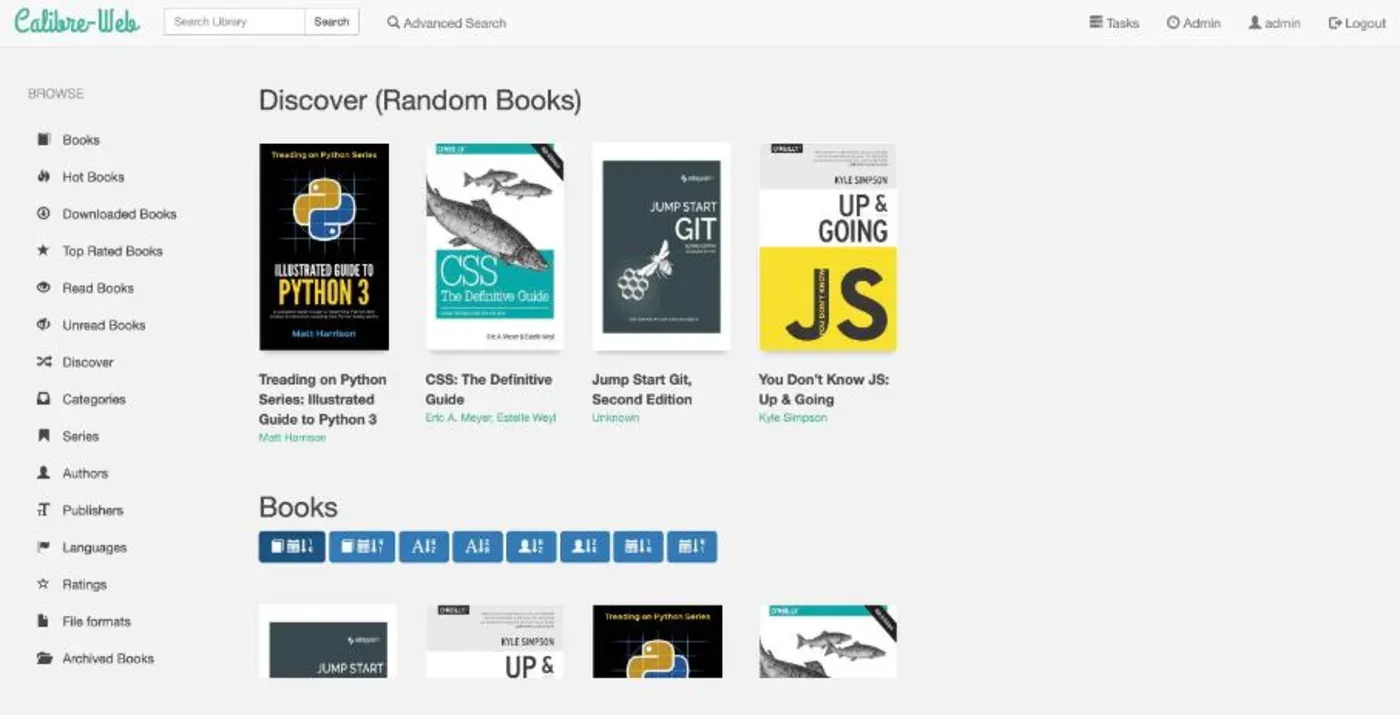
The reader opens in a new tab via “Read in Browser” and shows EPUBs in a two-page view. The interface is plain, loads fast and uses the least RAM in the test. If you already use Calibre, this is the best place to stay.
Calibre-Web Automated
Calibre-Web Automated (CWA) is a fork of Calibre-Web with an ingest folder. You copy files into the folder, CWA adds them to the Calibre library, fetches metadata and deletes the source file. You do not need calibredb.
services:
    cwa:
        image: crocodilestick/calibre-web-automated:latest
        container_name: cwa
        restart: unless-stopped
        environment:
            - PUID=1000
            - PGID=1000
            - TZ=Europe/Berlin
        ports:
            - "8083:8083"
        volumes:
            - ./config:/config
            - ./ingest:/cwa-book-ingest
- ./library:/calibre-librarymkdir -p config ingest library
sudo docker compose up -d
cp /srv/library/ebooks/* /srv/library/comics/*.cbz ingest/Six files (three EPUBs, two PDFs, one CBZ) were imported after about 66 seconds, and the ingest folder was empty afterwards. The login is admin and admin123, as with Calibre-Web.
One thing you need to know: in the default configuration, CWA converts PDFs and CBZs to EPUB during ingest. The PDF “Jump Start Git” and the Pepper&Carrot comic ended up in the library as EPUBs with a generated cover, and the original was gone. That is a poor choice for comics. The PDF and the EPUB of “You Don’t Know JS” show up as two separate books.
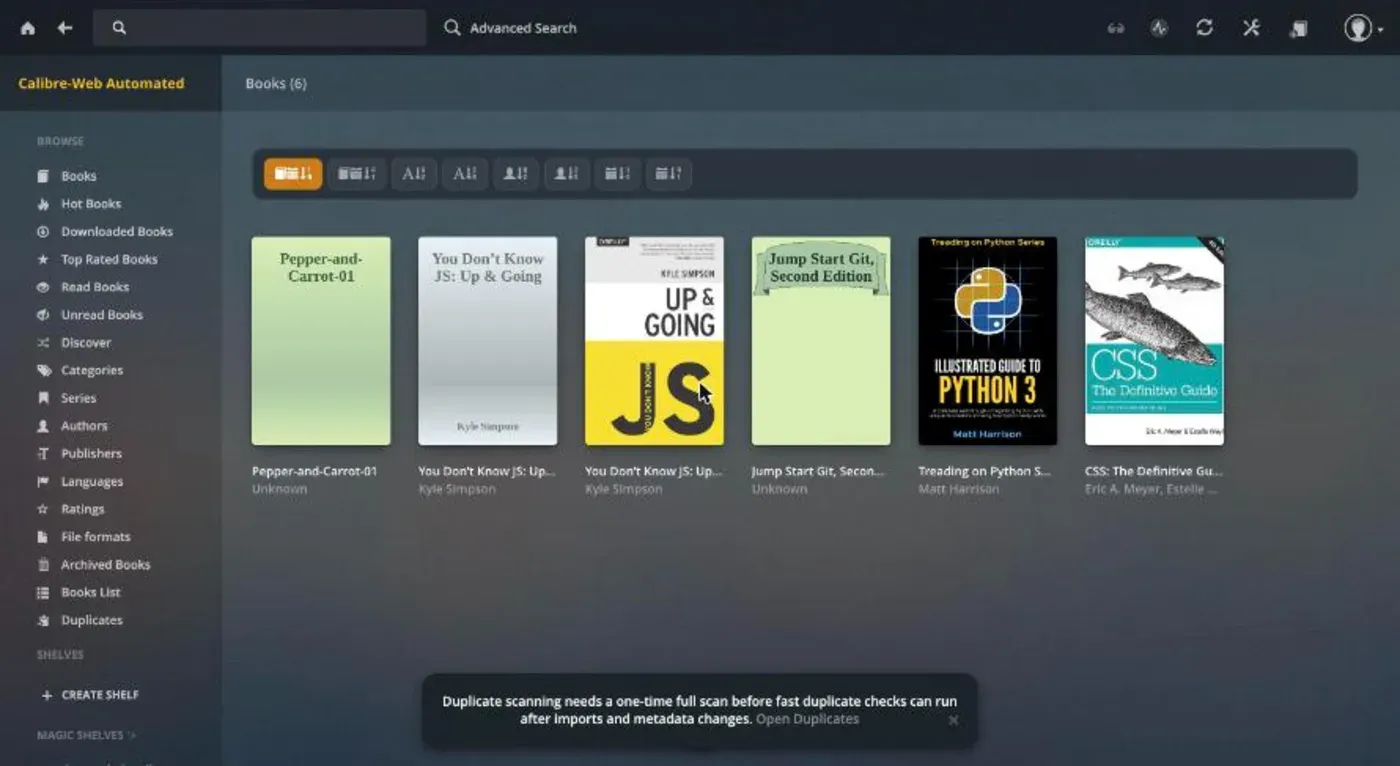
At 2.44 GB the image is the second largest in the test, because Calibre is bundled for conversion. Usage stays low at 203 MiB.
Kavita
Kavita reads EPUB, PDF and comic archives in one interface and needs no extra database.
services:
    kavita:
        image: ghcr.io/kareadita/kavita:latest
        container_name: kavita
        restart: unless-stopped
        ports:
            - "5000:5000"
        environment:
            - TZ=Europe/Berlin
        volumes:
            - ./config:/kavita/config
            - /srv/library/kavita/books:/books:ro
            - /srv/library/kavita/comics:/comics:ro
On first visit you create the admin account. Then, under Settings > Libraries, you create one library per type: “Book” for EPUB and PDF, “Comic” for the CBZ.
Kavita requires a fixed folder structure. If files sit directly in the root folder, the dialog shows “One or more folders contains files at the root. Kavita does not support this.” Every book and every series needs its own subfolder:
/srv/library/kavita/
├── books/
│   ├── CSS - The Definitive Guide/css_thedefinitiveguide.epub
│   ├── Illustrated Guide to Python 3/illustratedguidetopython3.epub
│   └── Jump Start Git/jumpstartgit2e_V2.pdf
└── comics/
    └── Pepper and Carrot/Pepper-and-Carrot-01.cbz
With this structure all six series appeared with covers right away.
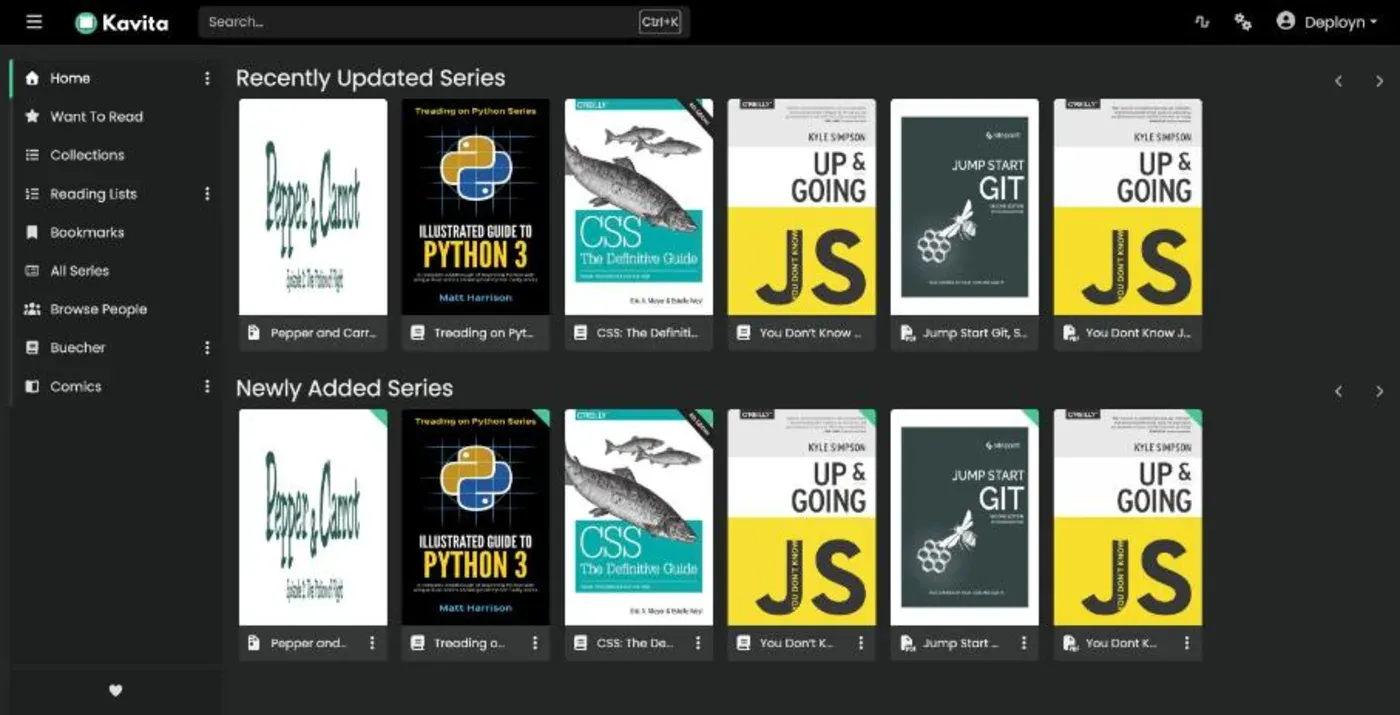
The book reader shows a bar at the top and, at the bottom, page number, progress and the estimated time left. The comic reader scrolls the pages one below the other.
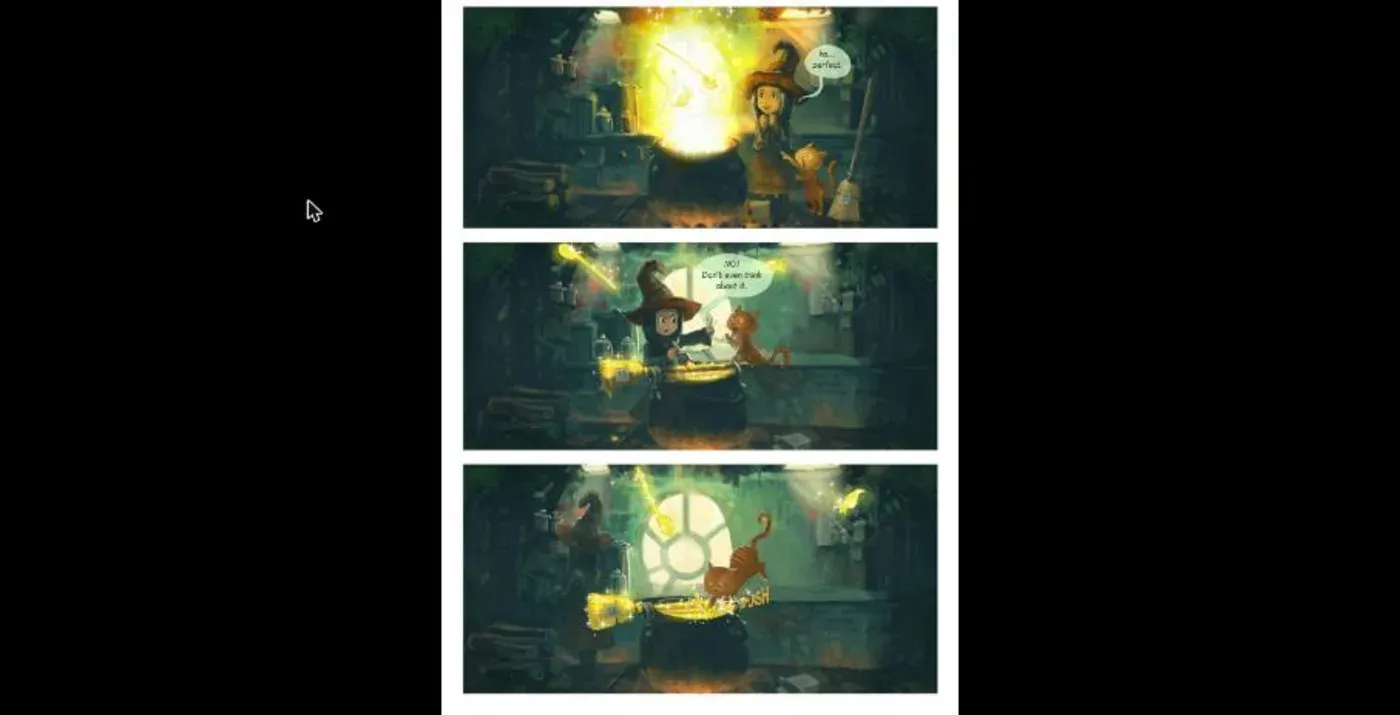
Kavita fits if you want books and comics in one lean app and already sort your files into folders.
Komga
Komga comes from the comics world and also reads EPUB, PDF and CBZ. It needs no extra database, but it uses the most memory in the test.
services:
    komga:
        image: gotson/komga:latest
        container_name: komga
        restart: unless-stopped
        user: "1000:1000"
        ports:
            - "25600:25600"
        environment:
            - TZ=Europe/Berlin
        volumes:
            - ./config:/config
            - /srv/library/kavita:/data:ro
On first visit you create an account with email and password. The login page then shows “Email required” until you have filled in the form. After that you create one library per folder. The dialog has four tabs: General, Scanner, Options and Metadata. On the first tab you enter a name and the root folder, then click through to “Add”.
As with Kavita, every subfolder is a series. I could therefore use the same folder structure and added /data/books and /data/comics as two libraries. The scan finished within a few seconds. For two EPUBs the cover first showed “To be analyzed” and arrived shortly after.
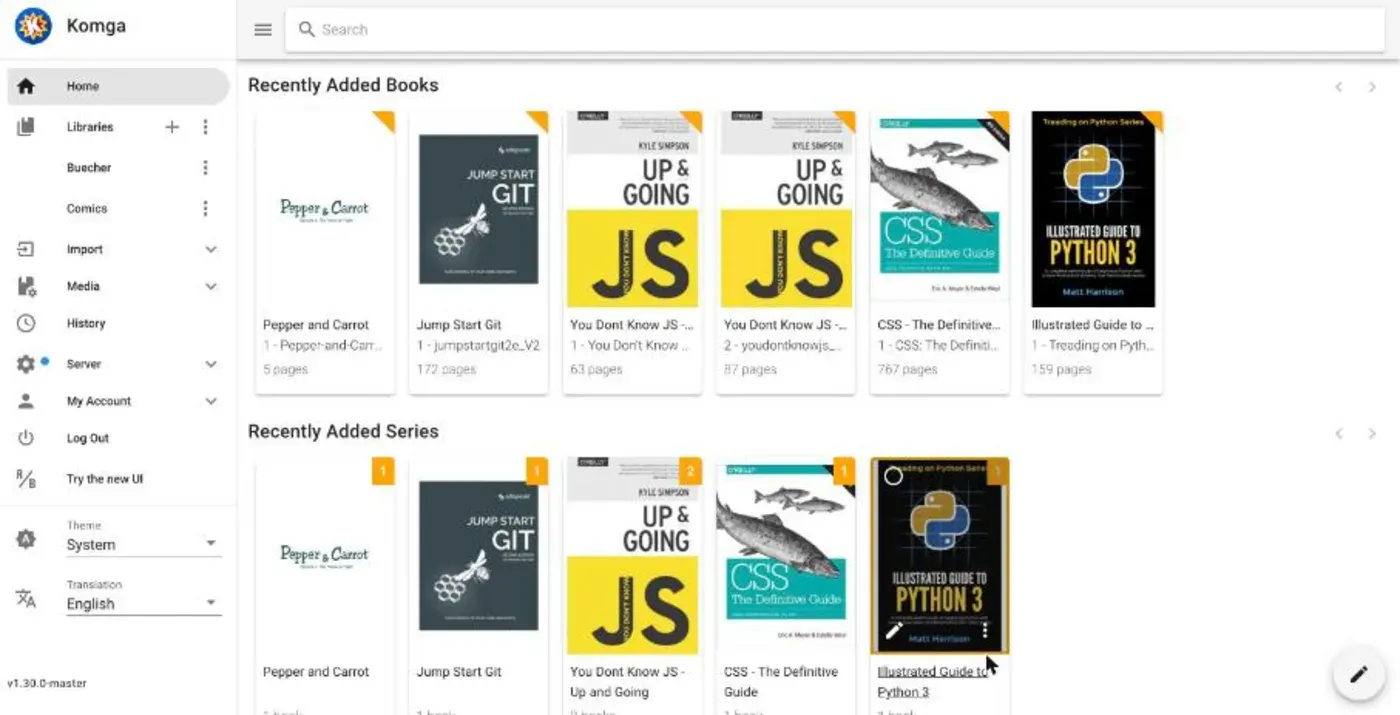
Komga’s comic reader shows the CBZ as one long page view.
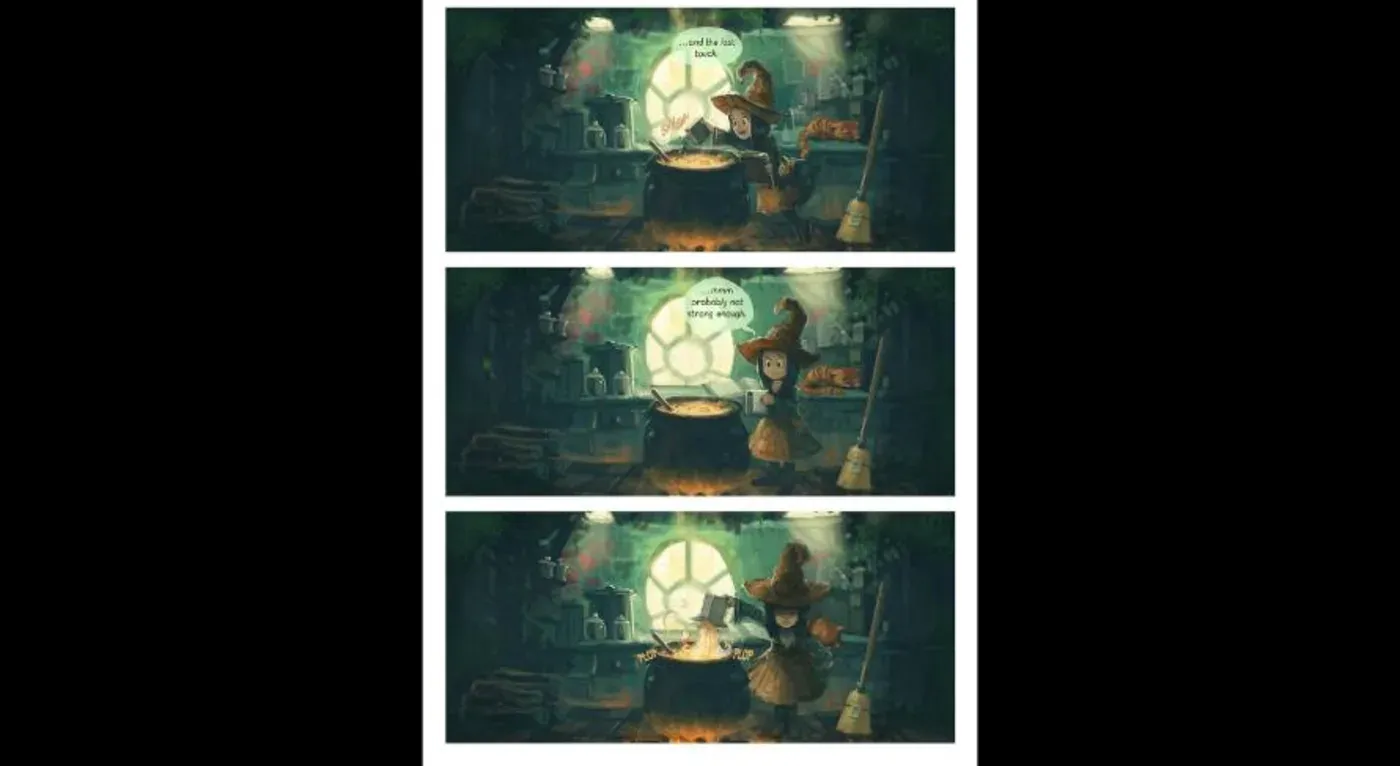
At 931 MiB after the scan, Komga is the hungriest candidate. On a server with 2 GB RAM there is hardly any room left for other services next to Komga.
Grimmory
Grimmory continues Booklore, and its compose template describes the migration. The license is AGPL-3.0. According to the project page it reads EPUB, MOBI, AZW, AZW3, FB2, PDF, CBZ, CBR, CB7 and audiobooks, syncs with Kobo and KOReader, and offers OPDS and a watch folder called BookDrop.
The compose.yaml comes with a MariaDB, and you set the credentials yourself:
services:
    grimmory:
        image: ghcr.io/grimmory-tools/grimmory:latest
        container_name: grimmory
        restart: unless-stopped
        environment:
            - USER_ID=1000
            - GROUP_ID=1000
            - TZ=Europe/Berlin
            - DATABASE_URL=jdbc:mariadb://mariadb:3306/grimmory
            - DATABASE_USERNAME=grimmory
            - DATABASE_PASSWORD=your_secure_password
        depends_on:
            mariadb:
                condition: service_healthy
        ports:
            - "6060:6060"
        volumes:
            - ./data:/app/data
            - /srv/library/ebooks:/books
            - ./bookdrop:/bookdrop

    mariadb:
        image: lscr.io/linuxserver/mariadb:11.4.8
        restart: unless-stopped
        environment:
            - PUID=1000
            - PGID=1000
            - TZ=Europe/Berlin
            - MYSQL_ROOT_PASSWORD=your_root_password
            - MYSQL_DATABASE=grimmory
            - MYSQL_USER=grimmory
            - MYSQL_PASSWORD=your_secure_password
        volumes:
            - ./config:/config
        healthcheck:
            test: ["CMD", "mariadb-admin", "ping", "-h", "localhost"]
            interval: 5s
            timeout: 5s
retries: 10mkdir -p data bookdrop config
sudo docker compose up -dThe password in DATABASE_PASSWORD and MYSQL_PASSWORD must be identical. After the start you create the admin without a token. You add the library through a folder browser in the dialog; I picked /books. All five books were there with covers after about ten seconds.
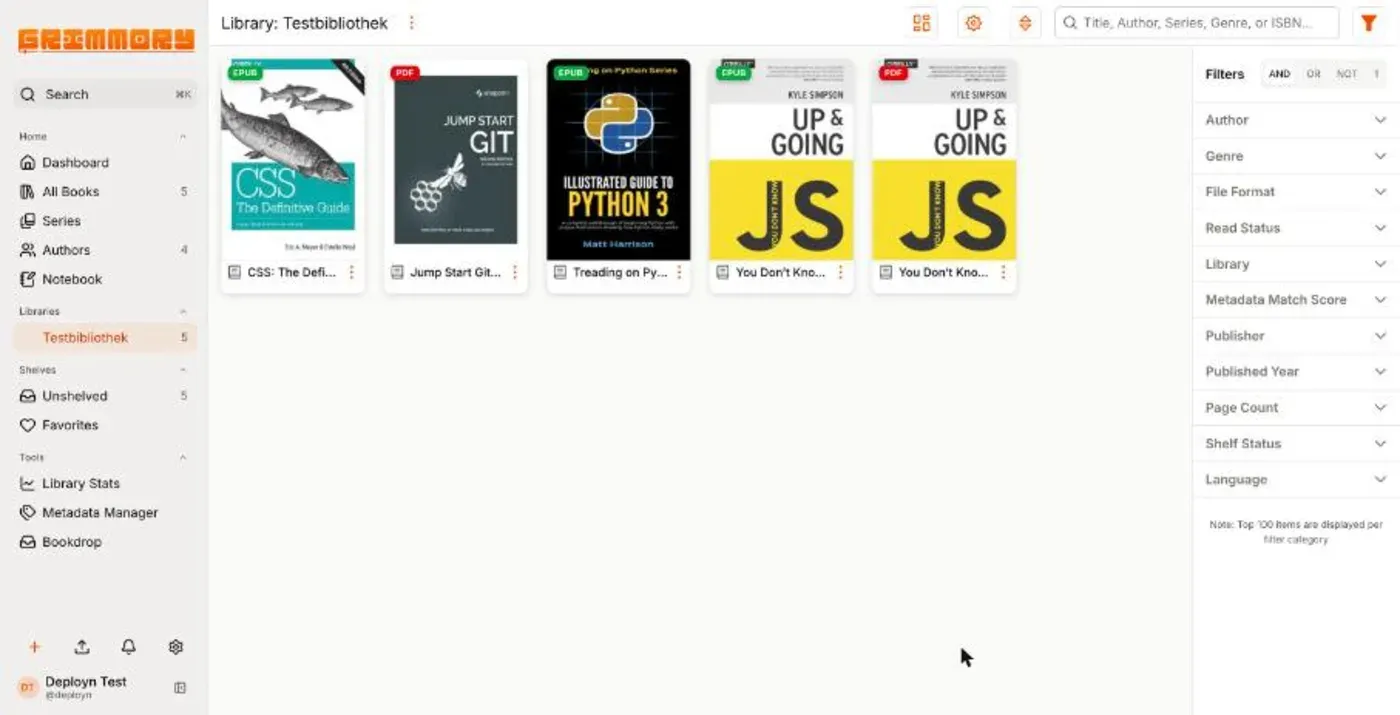
The reader shows EPUBs directly in the browser, and PDFs too according to the project page. The 91 MB EPUB “CSS: The Definitive Guide” took a few seconds on first open, then paged normally.
BookOrbit
BookOrbit is the youngest app in the test and has the longest feature list. According to the project page it reads EPUB, KEPUB, MOBI, AZW3, FB2, PDF, CBZ, CBR, CB7 and audiobooks, syncs with Kobo and KOReader, and offers OPDS, OIDC, Send-to-Kindle and an iOS app. The license is AGPL-3.0.
The installation uses a template from the repository:
mkdir bookorbit && cd bookorbit
mkdir -p data/app data/postgres
curl -fsSLo .env https://raw.githubusercontent.com/bookorbit/bookorbit/main/.env.example
curl -fsSLo compose.yaml https://raw.githubusercontent.com/bookorbit/bookorbit/main/docker-compose.yml
In the .env you set at least these values:
APP_URL=http://your-server-ip:3000
BOOKS_HOST_PATH=/srv/library
POSTGRES_PASSWORD=
JWT_SECRET=
SETUP_BOOTSTRAP_TOKEN=
You generate the three empty values with openssl rand -hex 24 (password), openssl rand -hex 32 (JWT_SECRET) and openssl rand -hex 16 (token). Then you start it:
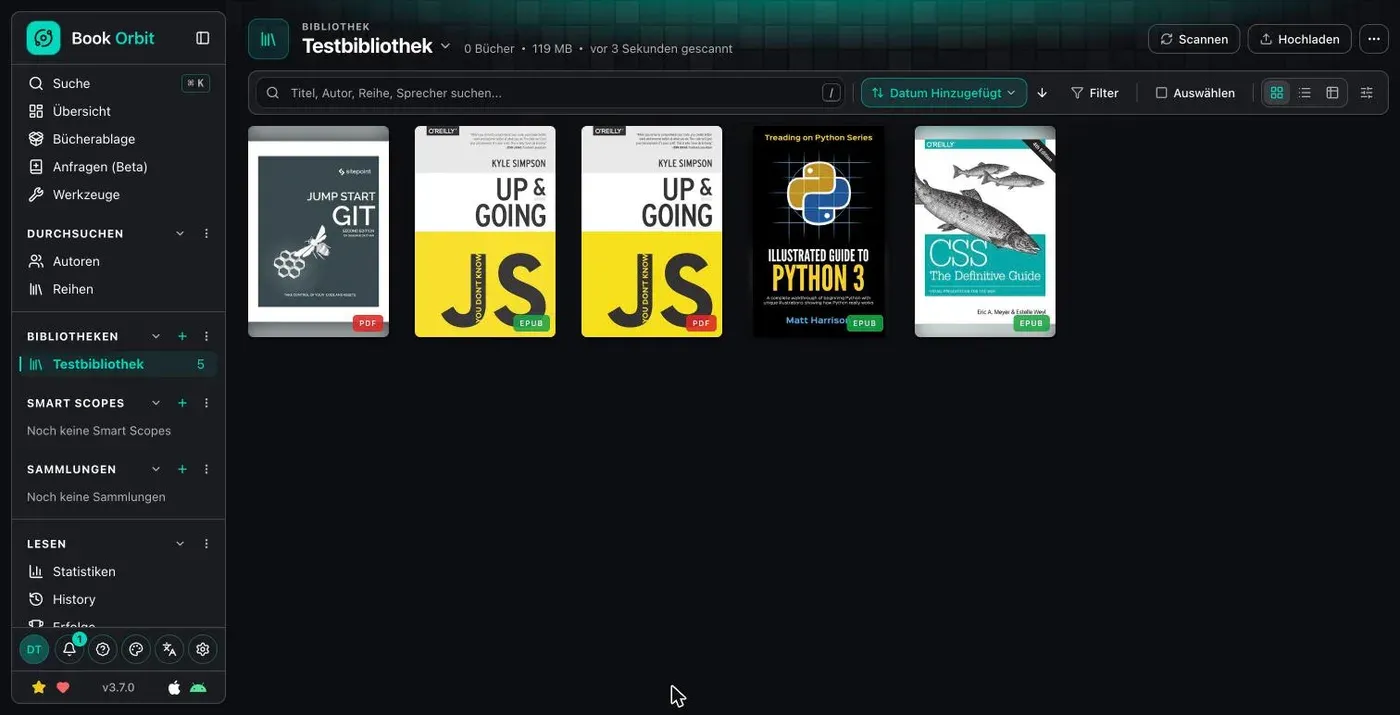
sudo docker compose up -dIn the setup wizard you enter the SETUP_BOOTSTRAP_TOKEN, so that not just anyone can create the first admin. A library needs a name, an icon and a folder. Confirm the folder (/books/ebooks) in the dialog with Enter. Scanning five files took about three seconds.
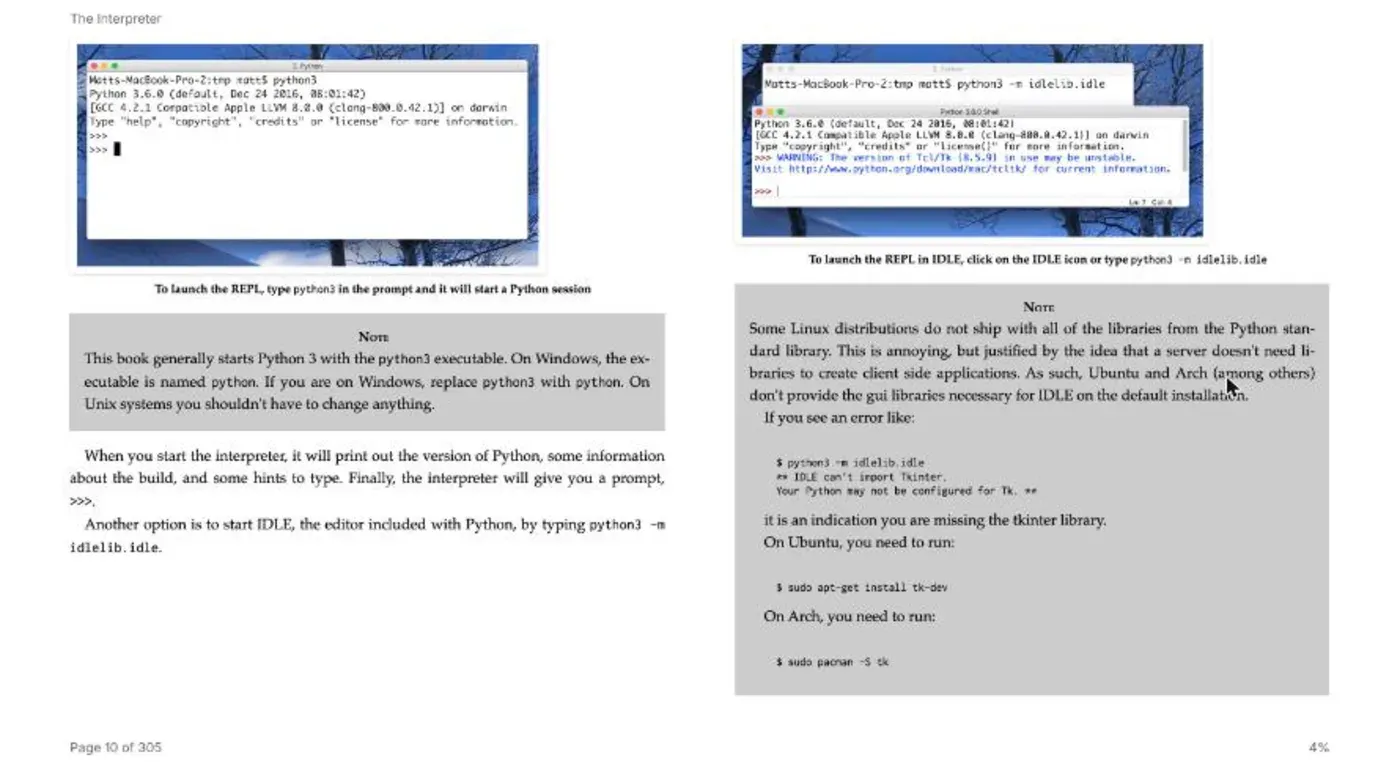
The reader shows EPUBs as a double-page spread with figures, with page number and progress at the bottom.
BookOrbit uses little, with 227 MiB for the app and 44 MiB for the database, and brings the most features. The project is young; version 3.7 came out on November 8, 2026. Check before you rely on it whether the update frequency suits you.
Storyteller
Storyteller solves a different problem. It takes an EPUB and an audiobook of the same story and aligns the two. The result is a “readaloud” EPUB in which the sentence being spoken is highlighted as you listen.
services:
    storyteller:
        image: registry.gitlab.com/storyteller-platform/storyteller:latest
        container_name: storyteller
        restart: unless-stopped
        ports:
            - "8001:8001"
        environment:
            - STORYTELLER_SECRET_KEY=${STORYTELLER_SECRET_KEY}
        volumes:
            - ./data:/data:rw
You generate the key with openssl rand -base64 32 and put it in a .env next to the compose.yaml. The docs name 8 GB RAM as the minimum and up to four CPU cores.
After the start you create the admin and import the books. I put the EPUB and MP3 in /data/import-src and loaded them via “Add books > Import books from server”. Storyteller merges both files into one book, with EPUB and audio listed separately. A click on “Create readaloud” starts processing.
For Gift of the Magi, with 13 minutes of audio, transcription with whisper.cpp took 1 minute 27 seconds, and the whole run finished after about two minutes. During that time all four cores sat at around 390 % utilization and the container at about 870 MiB RAM. The result is a 6.2 MB readaloud EPUB.
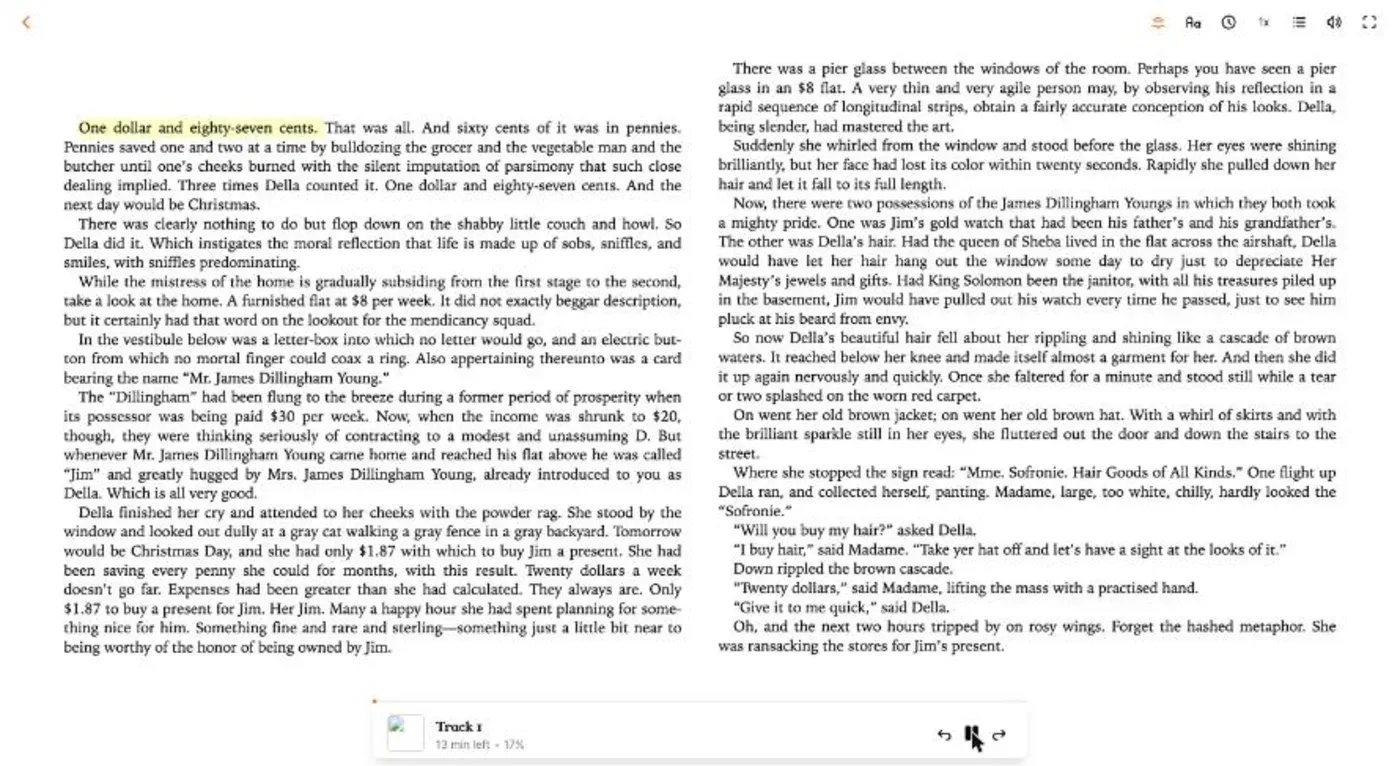
In the reader (/books/<id>/read) the text runs next to a player with speed control and a jump to the previous or next sentence fragment. The current sentence is highlighted in yellow.
For long audiobooks, expect much more time; the docs mention around 1 GB of space per book. Storyteller is not a replacement for the other apps. You use it in addition, if you listen to and read the same books.
Common pitfalls
Kavita reports files in the root folder. Create a subfolder for every book, as shown above.
Calibre-Web only shows the database configuration after starting. The path inside the container must point to the folder with the metadata.db. With the volume ./library:/books that is /books.
CWA converts comics to EPUB. If you want to keep CBZs in their original form, use Kavita or Komga for them.
Permissions. PUID and PGID must match the user who owns the folders. For a user with ID 1000 that is the default value. Check it with id and with ls -n in the folder.
Port reachable, but no HTTPS. All apps run on HTTP in the test. For real use, put a reverse proxy such as Caddy in front, for example following Caddy as a Reverse Proxy.
Which app suits you?
- You already have a Calibre library: Stay with Calibre-Web, or take Calibre-Web Automated if you want the ingest folder.
- You only have EPUBs and PDFs: Kavita or Grimmory. Kavita needs no extra database, Grimmory brings Kobo and KOReader sync.
- You read comics and manga: Kavita or Komga. Both keep CBZ in its original form.
- You want one app for everything, including Kobo and iOS: BookOrbit has the longest feature list and got by with about 270 MiB for app and database in the test.
- You listen to audiobooks of your books: Storyteller in addition to one of the other apps.
If you are unsure, start Kavita and BookOrbit one after the other on the same server. Both run with a few lines of Compose, and with sudo docker compose down the test is gone again.
FAQ
Frequently asked questions
What is the best alternative to Calibre-Web?
It depends on the use. For books and PDFs, Kavita, Grimmory and BookOrbit are good candidates. For comics and manga, Kavita and Komga fit. If you want to keep a Calibre library, use Calibre-Web Automated.
Does Calibre-Web need a Calibre database?
Only for initialization. Calibre-Web needs an existing metadata.db and does not create it itself. You create it once with calibredb, or you use Calibre-Web Automated, which creates it during ingest. After that you upload books in Calibre-Web directly in the browser once uploads are enabled.
Can Kavita read books from a folder without subfolders?
No. Kavita rejects files directly in the root folder. Every book or series needs its own subfolder.
Does Calibre-Web Automated convert my files?
In the default configuration, yes. PDFs and CBZs are converted to EPUB during ingest, and the original is lost. Check the settings before you import comics.
How much RAM do the ebook servers need?
In the test they ranged from 183 MiB (Calibre-Web) to 931 MiB (Komga) with a small library. Grimmory and BookOrbit also need a database container.
What does Storyteller do?
Storyteller aligns an EPUB with the matching audiobook. The reader highlights the sentence being spoken. According to the docs it needs at least 8 GB RAM.