



Self-Hosting Sure Finance: Finance App with Docker, Valkey and Caddy
Install Sure, the community fork of Maybe Finance, with Docker Compose on a Debian server: PostgreSQL, Valkey, HTTPS via Caddy, CSV import, backups and updates.

Contents
Sure 0.7.6PostgreSQL 17Valkey 9Caddy 2Docker 29.9Debian 13Sure is a finance app for your own server. You see balances, income, expenses and budgets in one dashboard, and all data stays with you. The project is a community fork of Maybe Finance. The Maybe team stopped development, and the repository has been archived since July 2025. Sure continues the code under the AGPL-3.0.
In this guide I install Sure 0.7.6 with Docker Compose on a Debian server, put HTTPS in front with Caddy, import transactions from CSV and set up backups and updates. I assume Docker is installed. If not, Docker Basics helps.
What Sure can do
- Accounts: bank accounts, investments, crypto, property, vehicles, credit cards and loans.
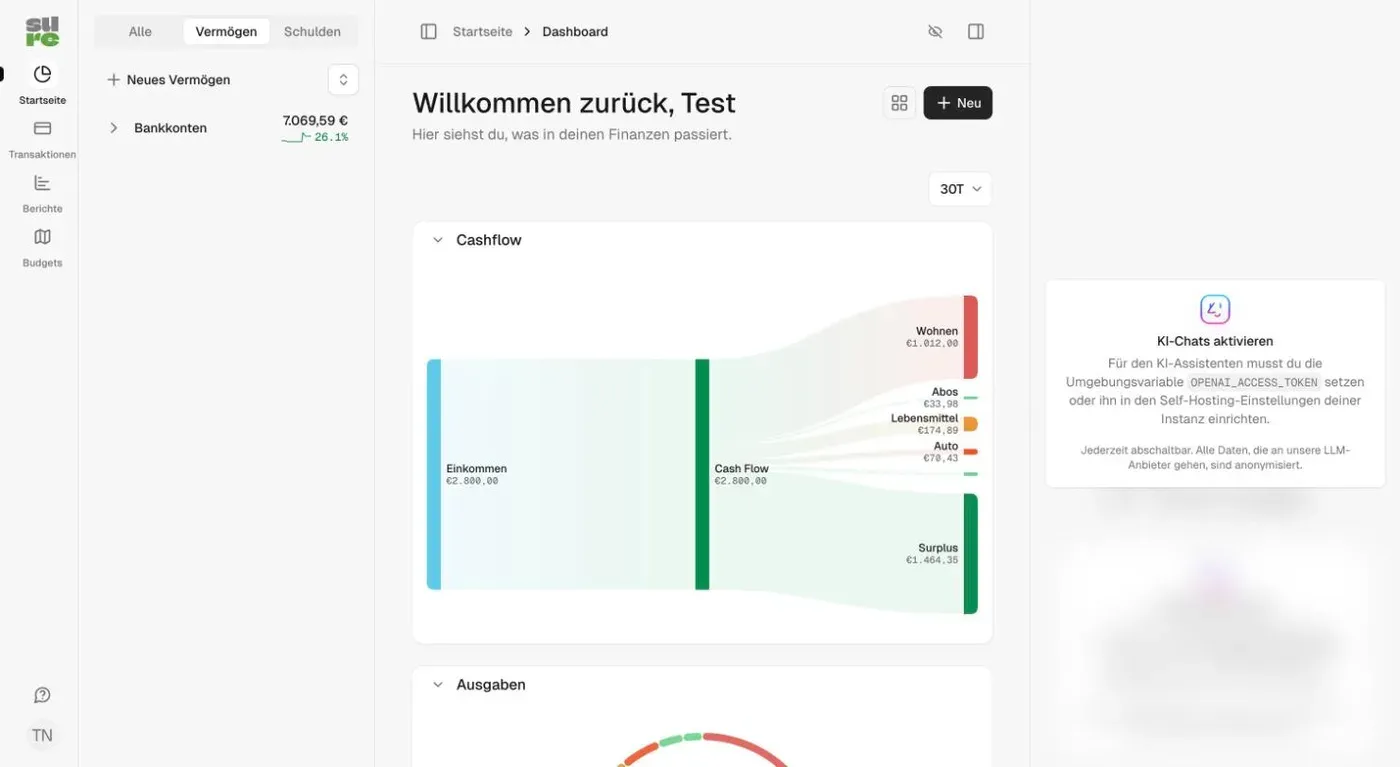
- Dashboard: net worth, cash flow as a Sankey diagram and spending by category.
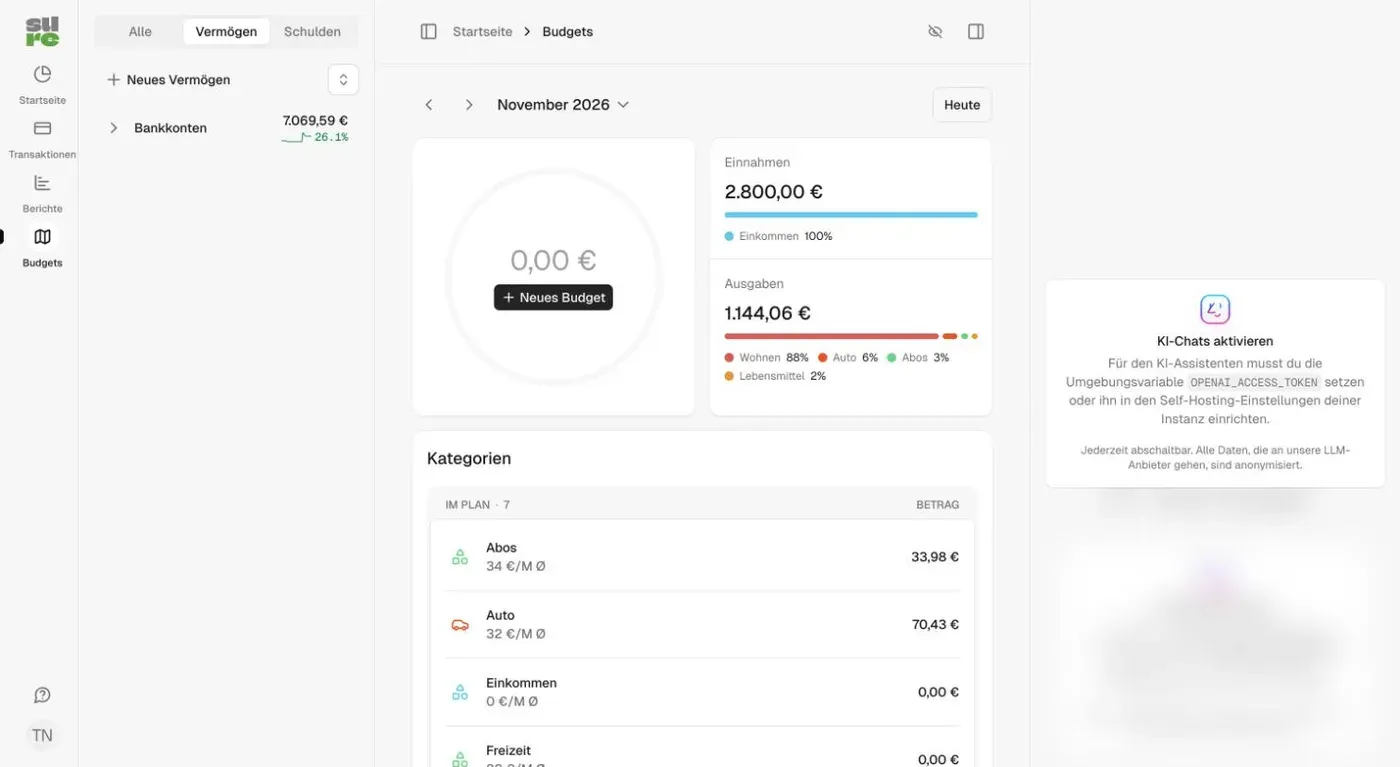
- Budgets: monthly budgets with categories.
- Import: CSV for transactions, plus import templates for Mint, Actual Budget, YNAB and Quicken (QIF).
- Bank connections: Sure can connect to accounts through Enable Banking, SimpleFIN, Lunch Flow, Mercury, Wise, Trade Republic and other providers.
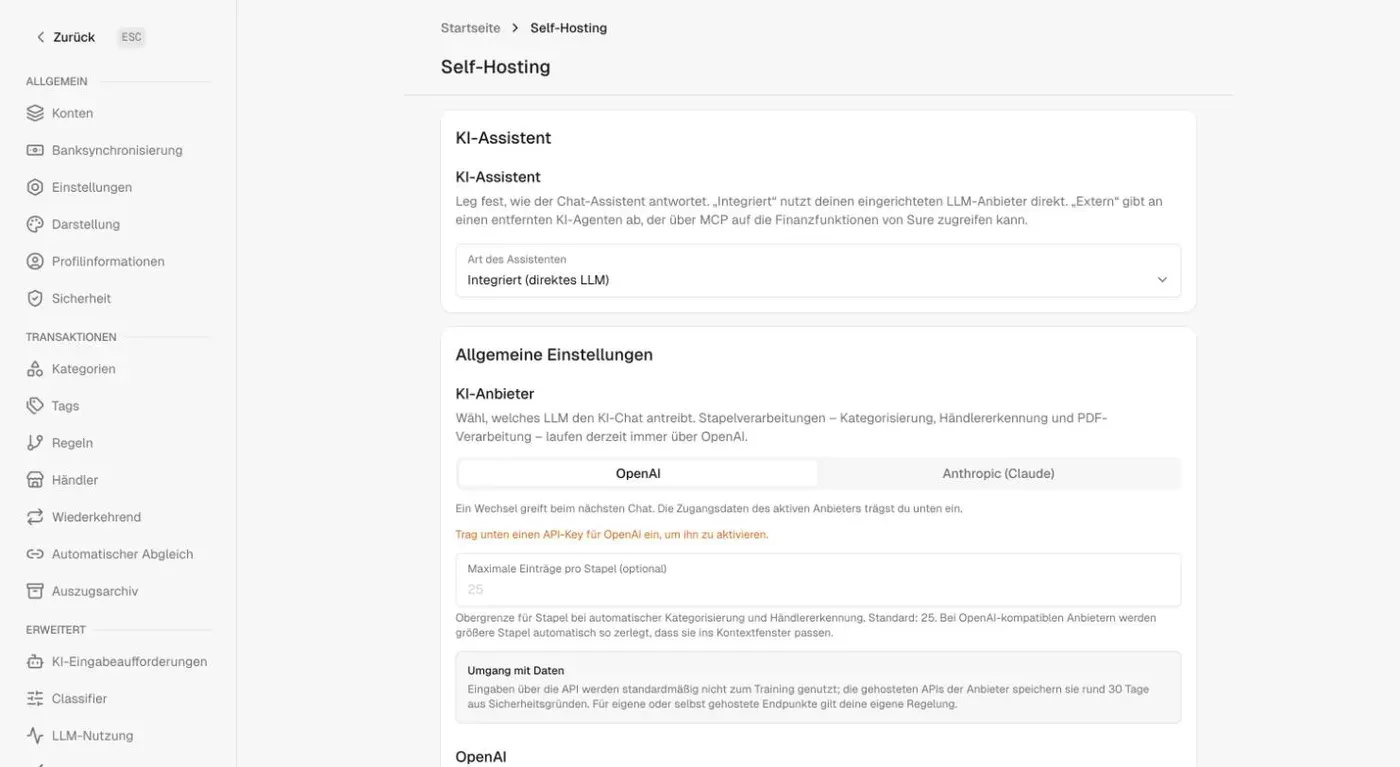
- AI assistant: optional, via OpenAI or Anthropic. Without an API key the chat stays off and everything else works normally.
The project has many open issues, and very large data sets cause performance problems. For a private household budget it is enough. If a leaner budgeting tool is all you need, look at Actual Budget with Docker.
Requirements
- A server with Docker and the Compose plugin. I use a Debian server with 4 GB RAM here.
- A domain or subdomain with an A record pointing to the server IP. I use
sure.example.com. - Open ports 80 and 443 for Caddy.
The docs name about 512 MB RAM as the lower limit for small hosts. In my test all containers together used about 800 MiB.
Step 1: Create the folder and download the example file
Sure ships an example compose file. I create a folder and download it:
mkdir -p ~/docker-apps/sure
cd ~/docker-apps/sure
curl --fail --location --silent --show-error --output compose.yml https://raw.githubusercontent.com/we-promise/sure/main/compose.example.yml
The file starts these services:
web: the Rails app on port 3000worker: the same image running Sidekiq for background jobs such as syncs and importsdb: PostgreSQLredis: the job store
It also contains the services backup and backup-offsite, which only start with a profile.
Step 2: Write the secrets to the .env
You need two values: SECRET_KEY_BASE for encryption and POSTGRES_PASSWORD for the database. I generate both while writing the file:
printf 'SECRET_KEY_BASE="%s"\nPOSTGRES_PASSWORD="%s"\n' "$(openssl rand -hex 64)" "$(openssl rand -hex 24)" > .envBack up the .env in a second place, for example in your password manager. Without SECRET_KEY_BASE, encrypted data in the database can no longer be read. The database password only takes effect on the very first start of the database. You cannot change it later through the .env alone.
Step 3: Adjust the compose.yml
I adjust the example file. It is shown in full below, and the marked lines are my changes. I shortened the comments.
- Secrets: The example file has default values for
SECRET_KEY_BASEand the database password. Those values are public. I remove them, so Sure does not start without your own values in the.env. - PostgreSQL 17: I use
postgres:17instead ofpostgres:16. Thebackupservice shipspg_dumpversion 17 and cannot back up a newer database. Withpostgres:18it aborts withserver version mismatch. - Valkey: I use
valkey/valkey:9, the free Redis fork, instead ofredis:latest. The service keeps the nameredis, so theREDIS_URLstays valid. The healthcheck withredis-cli pingworks unchanged in the Valkey image. - HTTPS: Caddy runs as its own service in the same project and fetches the certificate itself. Port 3000 is bound to localhost only, and
RAILS_ASSUME_SSLis"true". More on Caddy in Caddy as a Reverse Proxy. - AI key:
${OPENAI_ACCESS_TOKEN:-}prevents the warning that the variable is missing.
x-db-env: &db_env
  POSTGRES_USER: ${POSTGRES_USER:-sure_user}
  POSTGRES_PASSWORD: ${POSTGRES_PASSWORD:-sure_password}
  POSTGRES_PASSWORD: ${POSTGRES_PASSWORD}
  POSTGRES_DB: ${POSTGRES_DB:-sure_production}

x-rails-env: &rails_env
  <<: *db_env
  SECRET_KEY_BASE: ${SECRET_KEY_BASE:-a7523c3d0ae56415046ad8abae168d71074a79534a7062258f8d1d51ac2f76d3c3bc86d86b6b0b307df30d9a6a90a2066a3fa9e67c5e6f374dbd7dd4e0778e13}
  SECRET_KEY_BASE: ${SECRET_KEY_BASE}
  SELF_HOSTED: "true"
  RAILS_FORCE_SSL: "false"
  RAILS_ASSUME_SSL: "false"
  RAILS_ASSUME_SSL: "true"
  DB_HOST: db
  DB_PORT: 5432
  REDIS_URL: redis://redis:6379/1
  OPENAI_ACCESS_TOKEN: ${OPENAI_ACCESS_TOKEN}
  OPENAI_ACCESS_TOKEN: ${OPENAI_ACCESS_TOKEN:-}
  OPENAI_MODEL: ${OPENAI_MODEL:-}
  OPENAI_URI_BASE: ${OPENAI_URI_BASE:-}
  LLM_CONTEXT_WINDOW: ${LLM_CONTEXT_WINDOW:-}
  OPENAI_REQUEST_TIMEOUT: ${OPENAI_REQUEST_TIMEOUT:-60}
  AI_HEALTH_PROBE_TIMEOUT: ${AI_HEALTH_PROBE_TIMEOUT:-}
  AI_HEALTH_PROBE_CACHE_TTL: ${AI_HEALTH_PROBE_CACHE_TTL:-}
  AI_RESPONSE_TIMEOUT: ${AI_RESPONSE_TIMEOUT:-90}
  ASSISTANT_MAX_TOOL_CALL_ITERATIONS: ${ASSISTANT_MAX_TOOL_CALL_ITERATIONS:-}

services:
  web:
    image: ghcr.io/we-promise/sure:${SURE_IMAGE_TAG:-stable}
    volumes:
      - app-storage:/rails/storage
    ports:
      - ${PORT:-3000}:3000
      - 127.0.0.1:${PORT:-3000}:3000
    restart: unless-stopped
    environment:
      <<: *rails_env
    depends_on:
      db:
        condition: service_healthy
      redis:
        condition: service_healthy
    dns:
      - 8.8.8.8
      - 1.1.1.1
    networks:
      - sure_net

  caddy:
    image: caddy:2
    restart: unless-stopped
    ports:
      - "80:80"
      - "443:443"
    volumes:
      - ./Caddyfile:/etc/caddy/Caddyfile:ro
      - caddy-data:/data
    networks:
      - sure_net

  worker:
    image: ghcr.io/we-promise/sure:${SURE_IMAGE_TAG:-stable}
    command: bundle exec sidekiq
    volumes:
      - app-storage:/rails/storage
    restart: unless-stopped
    environment:
      <<: *rails_env
    depends_on:
      db:
        condition: service_healthy
      redis:
        condition: service_healthy
    dns:
      - 8.8.8.8
      - 1.1.1.1
    networks:
      - sure_net

  db:
    image: postgres:16
    image: postgres:17
    restart: unless-stopped
    volumes:
      - postgres-data:/var/lib/postgresql/data
    environment:
      <<: *db_env
    healthcheck:
      test: ["CMD-SHELL", "pg_isready -U $$POSTGRES_USER -d $$POSTGRES_DB"]
      interval: 5s
      timeout: 5s
      retries: 5
    networks:
      - sure_net

  backup:
    profiles:
      - backup
    image: ghcr.io/we-promise/sure:${SURE_IMAGE_TAG:-stable}
    user: "0"
    entrypoint: ["bin/sure-backup"]
    restart: unless-stopped
    volumes:
      - ${BACKUP_DIR:-./backups}:/backups
      - app-storage:/rails/storage
      - .:/config:ro
    environment:
      <<: *db_env
      POSTGRES_HOST: db
      BACKUP_SCHEDULE: ${BACKUP_SCHEDULE:-0 2 * * *}
      BACKUP_KEEP_DAYS: ${BACKUP_KEEP_DAYS:-7}
      INSTANCE_ID: ${INSTANCE_ID:-default}
    depends_on:
      db:
        condition: service_healthy
    networks:
      - sure_net

  backup-offsite:
    profiles:
      - backup-offsite
    image: rclone/rclone:1.71
    restart: unless-stopped
    entrypoint: ["/bin/sh", "-c"]
    command:
      - |
        : "$${BACKUP_DESTINATION:?set BACKUP_DESTINATION in .env}"
        while true; do
          rclone copy /backups "$${BACKUP_DESTINATION%/}/$${INSTANCE_ID}" --exclude ".tmp-*/**" \
            && rclone delete "$${BACKUP_DESTINATION%/}/$${INSTANCE_ID}" --min-age "$${BACKUP_KEEP_DAYS}d" --include "/*/*-scheduled/**" \
            && rclone rmdirs "$${BACKUP_DESTINATION%/}/$${INSTANCE_ID}" --leave-root \
            || echo "backup-offsite: copy failed; retrying in an hour"
          sleep 3600
        done
    volumes:
      - ${BACKUP_DIR:-./backups}:/backups:ro
    environment:
      BACKUP_DESTINATION: ${BACKUP_DESTINATION:-}
      BACKUP_KEEP_DAYS: ${BACKUP_KEEP_DAYS:-7}
      INSTANCE_ID: ${INSTANCE_ID:-default}
      RCLONE_CONFIG_S3_TYPE: ${RCLONE_CONFIG_S3_TYPE:-}
      RCLONE_CONFIG_S3_PROVIDER: ${RCLONE_CONFIG_S3_PROVIDER:-}
      RCLONE_CONFIG_S3_ACCESS_KEY_ID: ${RCLONE_CONFIG_S3_ACCESS_KEY_ID:-}
      RCLONE_CONFIG_S3_SECRET_ACCESS_KEY: ${RCLONE_CONFIG_S3_SECRET_ACCESS_KEY:-}
      RCLONE_CONFIG_S3_ENDPOINT: ${RCLONE_CONFIG_S3_ENDPOINT:-}
    networks:
      - sure_net

  redis:
    image: redis:latest
    image: valkey/valkey:9
    restart: unless-stopped
    volumes:
      - redis-data:/data
    healthcheck:
      test: ["CMD", "redis-cli", "ping"]
      interval: 5s
      timeout: 5s
      retries: 5
    networks:
      - sure_net

volumes:
  caddy-data:
  app-storage:
  postgres-data:
  redis-data:

networks:
  sure_net:
    driver: bridge
Step 4: Create the Caddyfile
Put the Caddyfile next to the compose.yml:
sure.example.com {
    reverse_proxy web:3000
}
Replace sure.example.com with your domain. The A record must point to the server, and ports 80 and 443 must be open.
Step 5: Start
sudo docker compose up -d
sudo docker compose ps
After about 20 seconds web, worker, db, redis and caddy are up. https://sure.example.com is then reachable with a valid certificate. If it does not work, check with sudo docker compose logs caddy whether Caddy got the certificate. The Sure image is 1.45 GB, PostgreSQL 650 MB and Valkey 174 MB.
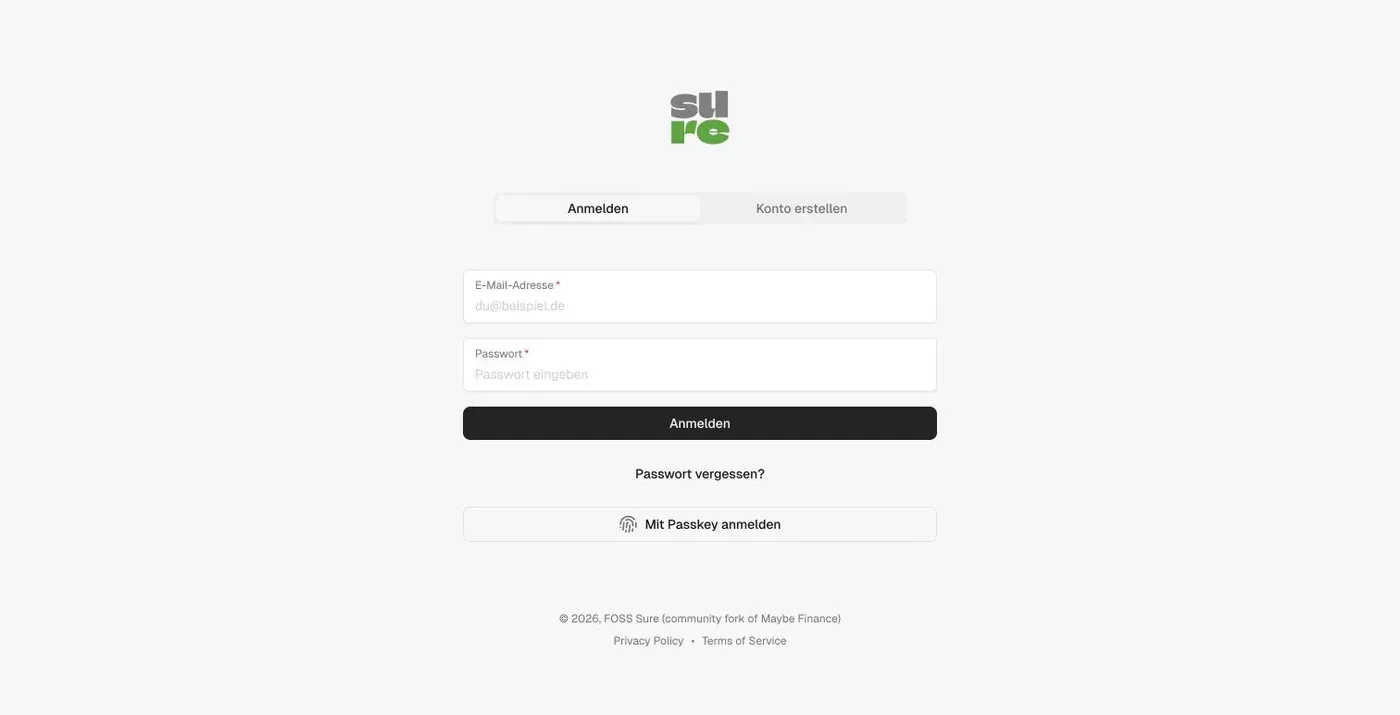
Step 6: Create an account and set up
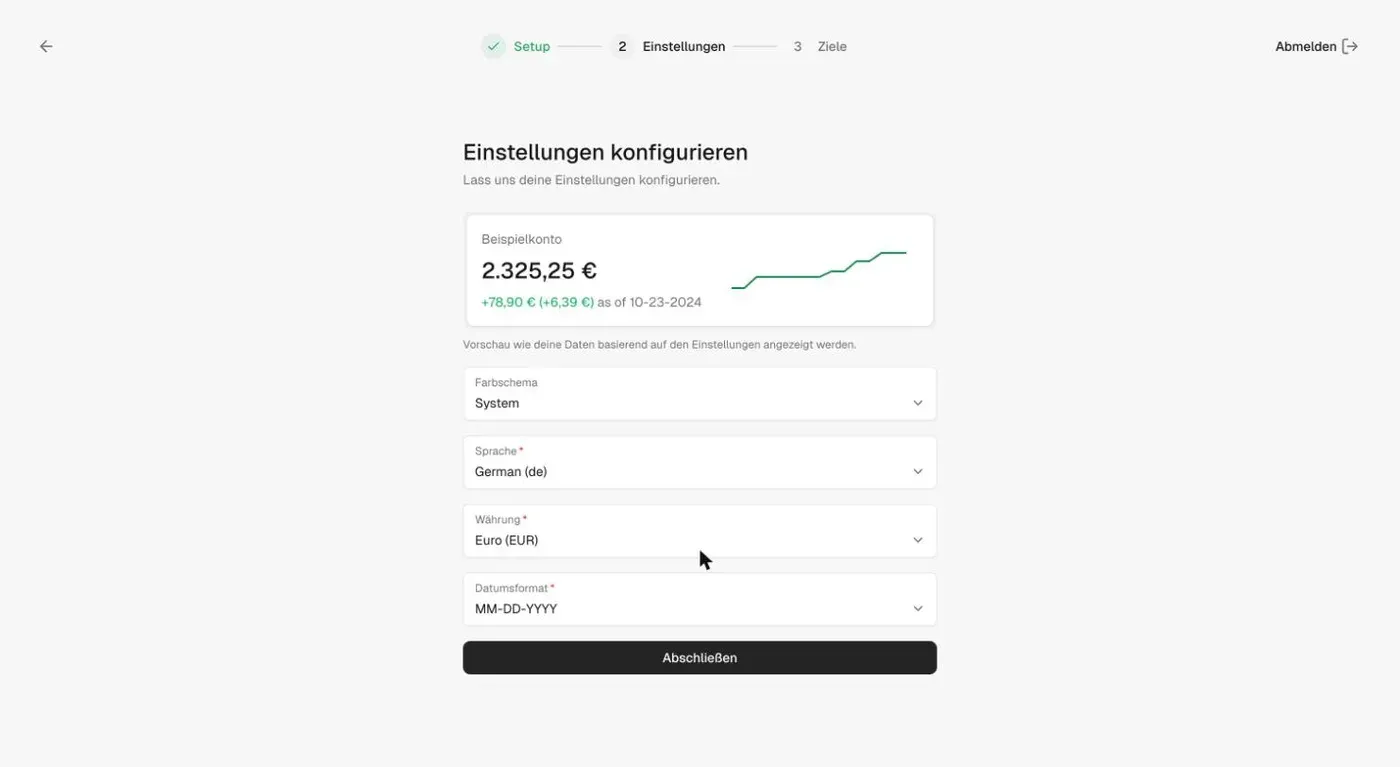
On the login page switch to “Create account” and enter an email and password. The first user becomes super admin of the instance. Sure then walks you through three steps: profile, settings and goals.
In the settings you choose language, currency and date format. The default date format is MM-DD-YYYY.
Afterwards close registration, so nobody else can sign up on your instance. You find the option under Settings > Self-Hosting > Onboarding. It offers “Open”, “Closed” and “Invite only”. On a self-hosted instance Sure does not email invitation links. You copy them under Settings > Profile Info.
Add accounts and transactions
Choose the account type via “Add account”. For a bank account you can enter the balance manually or link the account through a provider.
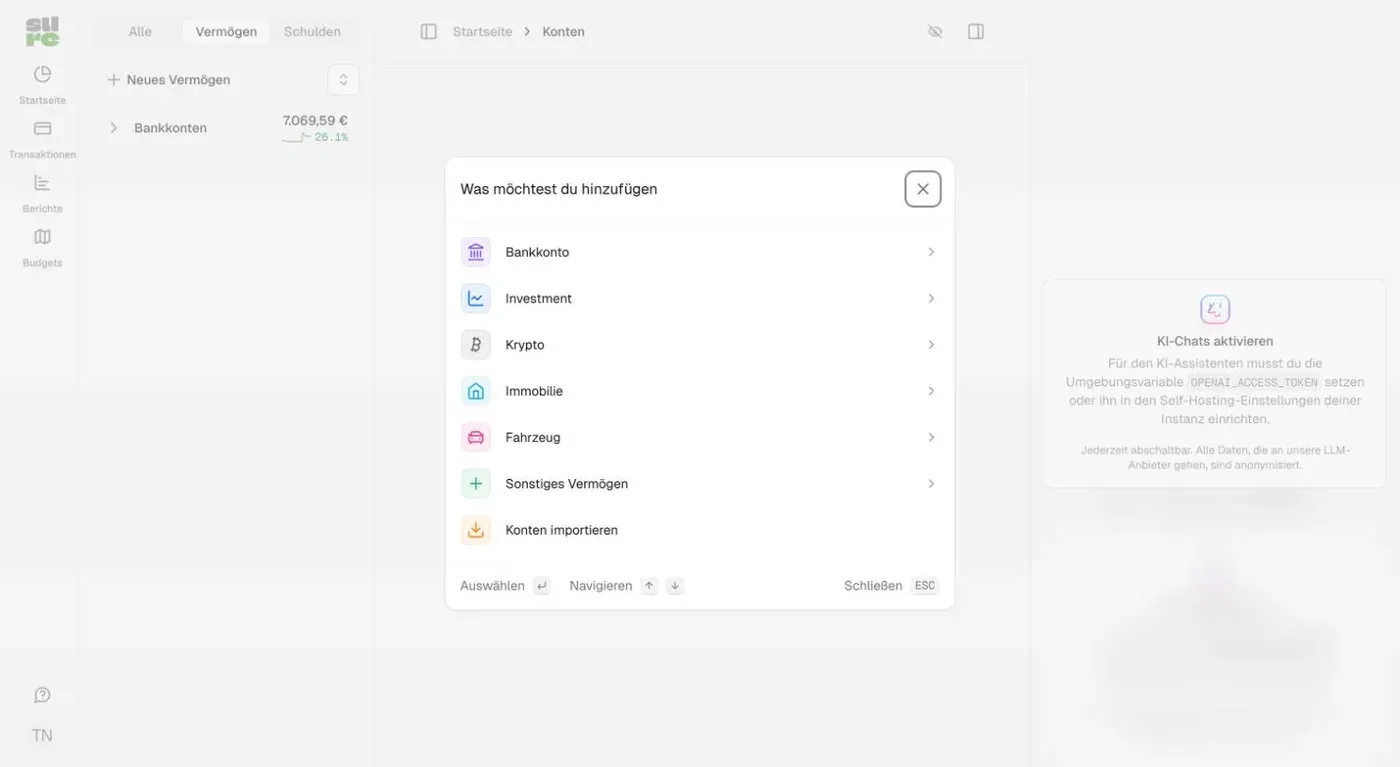
For the manual route you enter name, balance, opening date and account type, for example “Girokonto” (checking account) with 2,450 euros.
Import CSV
The fastest way to real data is a CSV export from your bank. Under Transactions > Import > Raw data > “Import transactions” you upload the file or paste its content. Switch the delimiter to semicolon if your bank exports that way. In the simplest case Sure expects these columns:
date,amount,name,category
2026-11-01,2800.0,Gehalt,Einkommen
2026-11-02,-950.0,Miete,Wohnen
2026-11-04,-13.99,Netflix,Abos
The import runs in five steps:
- Upload: pick or paste the CSV, choose the account.
- Configure: map the columns for date, amount, name and category. Adjust the date format (here
YYYY-MM-DD) and the number format if your bank writes1.234,56. - Clean: the table marks invalid rows in red.
- Assign: map categories and tags from the file to categories in Sure, or create new ones.
- Confirm: “Publish import” creates the transactions.
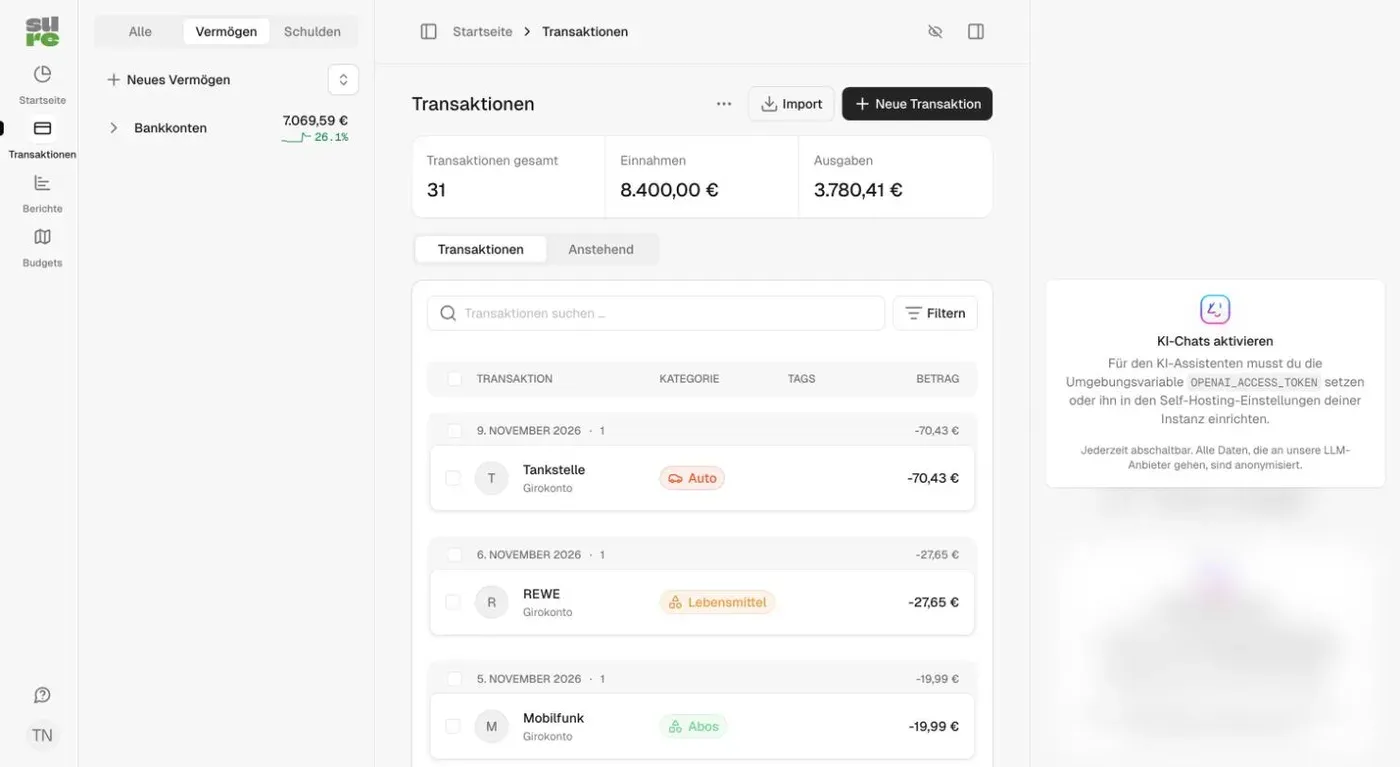
With my 31 sample transactions, the categories showed up in the dashboard right after the import.
Dashboard and budgets
The start page shows net worth and, below it, the cash flow as a Sankey diagram. Income flows in on the left, and on the right it splits into housing, groceries, subscriptions and the surplus.
Under Budgets you see income and expenses per month, split by category. “New budget” sets limits per category.
Enable the AI assistant
The chat and automatic categorization need an API key. Put it in the .env:
OPENAI_ACCESS_TOKEN="sk-..."Then apply it with sudo docker compose up -d. Under Settings > Self-Hosting you choose the AI provider, OpenAI or Anthropic (Claude). Every request costs money at your provider, so set a spending limit there. The docs name at least 1 GB RAM for the AI features.
Backups
The backup service from the example file saves the database, uploaded files, .env and compose.yml. It uses the Sure image, so there is nothing extra to download. A backup on demand:
sudo docker compose run --rm backup createThe result lands in backups/<version>/<date>-manual/. The folder belongs to root, so you read it with sudo. A daily backup at 02:00 UTC that keeps 7 days starts like this:
sudo docker compose --profile backup up -d backupThe Caddyfile is not part of the backup. It is in step 4 and quick to recreate.
Because the backups contain the .env with the SECRET_KEY_BASE, they belong in a second location. The backup-offsite service does that. It copies the backup folder with rclone every hour to S3, Backblaze, SFTP or another rclone target and deletes scheduled backups there after 7 days. You put the credentials in the .env, shown here for Cloudflare R2:
BACKUP_DESTINATION="s3:my-bucket"
RCLONE_CONFIG_S3_TYPE=s3
RCLONE_CONFIG_S3_PROVIDER=Cloudflare
RCLONE_CONFIG_S3_ACCESS_KEY_ID=…
RCLONE_CONFIG_S3_SECRET_ACCESS_KEY=…
RCLONE_CONFIG_S3_ENDPOINT=https://<account-id>.r2.cloudflarestorage.com
Then start the service:
sudo docker compose --profile backup-offsite up -d backup-offsiteThe copies land unencrypted at the target, including the .env. Create the bucket as private. For a provider other than S3, replace the RCLONE_CONFIG_S3_* variables in the service with the matching rclone variables.
Restore:
sudo docker compose stop web worker
sudo docker compose run --rm backup restore latest
sudo docker compose up -d
Backups with PostgreSQL 18
If you want PostgreSQL 18, change the image in the compose.yml to postgres:18 and the volume to postgres-data:/var/lib/postgresql, because from version 18 the data no longer lives under /var/lib/postgresql/data. You cannot use the backup service then, its pg_dump is too old. A small script saves the database, uploaded files, .env, compose.yml and Caddyfile instead. The volume is called sure_app-storage because the project folder is called sure. If your folder has a different name, adjust it.
#!/bin/sh
set -e
cd "$(dirname "$0")"
dir="backups/$(date +%F_%H%M%S)"
mkdir -p "$dir"
docker compose exec -T db sh -c 'pg_dump -Fc -U "$POSTGRES_USER" "$POSTGRES_DB"' > "$dir/db.dump"
docker run --rm -v sure_app-storage:/data:ro -v "$PWD/$dir":/backup alpine tar czf /backup/storage.tar.gz -C /data .
cp .env compose.yml Caddyfile "$dir/"
chmod -R go-rwx "$dir"
find backups -maxdepth 1 -mindepth 1 -type d -mtime +7 -exec rm -rf {} +
Make it executable (chmod +x backup.sh) and run it with sudo ./backup.sh. It deletes backups older than 7 days. For a daily backup at 02:00, add it to root’s crontab (sudo crontab -e):
0 2 * * * /home/deployn/docker-apps/sure/backup.shRestore:
sudo docker compose stop web worker
sudo cat backups/<date>/db.dump | sudo docker compose exec -T db sh -c 'pg_restore --clean --if-exists --no-owner -U "$POSTGRES_USER" -d "$POSTGRES_DB"'
sudo docker run --rm -v sure_app-storage:/data -v "$PWD/backups/<date>":/backup:ro alpine tar xzf /backup/storage.tar.gz -C /data
sudo docker compose up -d
The backup-offsite service copies the backups folder with this script too. For updates, sudo ./backup.sh replaces the command sudo docker compose run --rm backup create.
Updates
Sure does not update itself. The image ghcr.io/we-promise/sure:stable follows the latest release, latest the alpha state. I stay on stable. Before every update I back up:
cd ~/docker-apps/sure
sudo docker compose run --rm backup create
sudo docker compose pull web worker
sudo docker compose up -d
Migrations run automatically on start. You pin a fixed version with SURE_IMAGE_TAG=0.7.6 in the .env. Variables from the .env only arrive if they appear in the compose.yml. SURE_IMAGE_TAG and PORT are already built in there.
Resource usage
| Container | RAM |
|---|---|
| web | 369 MiB |
| worker | 359 MiB |
| db (PostgreSQL 17) | 55 MiB |
| redis (Valkey 9) | 10 MiB |
| caddy | 19 MiB |
That is about 810 MiB in total right after start with an empty database. The demo data generator runs in the worker and needs more than 512 MB according to the docs.
Common problems
ActiveRecord::DatabaseConnectionError on first start. Usually an old Postgres volume with different credentials is lying around. If you have no data yet, reset it. This deletes all database data:
sudo docker compose down
sudo docker volume rm sure_postgres-data
sudo docker compose up -d
Variables from the .env do not arrive. The .env is not passed to the containers as a whole. Only variables listed in the x-rails-env block of the compose.yml arrive. This applies to SMTP, for example: add SMTP_ADDRESS, SMTP_PORT, SMTP_USERNAME, SMTP_PASSWORD, SMTP_TLS_ENABLED, EMAIL_SENDER and APP_DOMAIN there. After the change restart with sudo docker compose up -d, because restart keeps the old environment.
Login fails over HTTPS. Check that RAILS_ASSUME_SSL is set to "true" and that Caddy got the certificate. You see that with sudo docker compose logs caddy.
Sidekiq interface. Under /sidekiq you see background jobs. It is only visible to signed-in super admins.
Final files
This is how the three files look at the end. The .env holds your generated values, plus the AI key if you use one:
SECRET_KEY_BASE="…"
POSTGRES_PASSWORD="…"sure.example.com {
reverse_proxy web:3000
}x-db-env: &db_env
POSTGRES_USER: ${POSTGRES_USER:-sure_user}
POSTGRES_PASSWORD: ${POSTGRES_PASSWORD}
POSTGRES_DB: ${POSTGRES_DB:-sure_production}
x-rails-env: &rails_env
<<: *db_env
SECRET_KEY_BASE: ${SECRET_KEY_BASE}
SELF_HOSTED: "true"
RAILS_FORCE_SSL: "false"
RAILS_ASSUME_SSL: "true"
DB_HOST: db
DB_PORT: 5432
REDIS_URL: redis://redis:6379/1
OPENAI_ACCESS_TOKEN: ${OPENAI_ACCESS_TOKEN:-}
OPENAI_MODEL: ${OPENAI_MODEL:-}
OPENAI_URI_BASE: ${OPENAI_URI_BASE:-}
LLM_CONTEXT_WINDOW: ${LLM_CONTEXT_WINDOW:-}
OPENAI_REQUEST_TIMEOUT: ${OPENAI_REQUEST_TIMEOUT:-60}
AI_HEALTH_PROBE_TIMEOUT: ${AI_HEALTH_PROBE_TIMEOUT:-}
AI_HEALTH_PROBE_CACHE_TTL: ${AI_HEALTH_PROBE_CACHE_TTL:-}
AI_RESPONSE_TIMEOUT: ${AI_RESPONSE_TIMEOUT:-90}
ASSISTANT_MAX_TOOL_CALL_ITERATIONS: ${ASSISTANT_MAX_TOOL_CALL_ITERATIONS:-}
services:
web:
image: ghcr.io/we-promise/sure:${SURE_IMAGE_TAG:-stable}
volumes:
- app-storage:/rails/storage
ports:
- 127.0.0.1:${PORT:-3000}:3000
restart: unless-stopped
environment:
<<: *rails_env
depends_on:
db:
condition: service_healthy
redis:
condition: service_healthy
dns:
- 8.8.8.8
- 1.1.1.1
networks:
- sure_net
caddy:
image: caddy:2
restart: unless-stopped
ports:
- "80:80"
- "443:443"
volumes:
- ./Caddyfile:/etc/caddy/Caddyfile:ro
- caddy-data:/data
networks:
- sure_net
worker:
image: ghcr.io/we-promise/sure:${SURE_IMAGE_TAG:-stable}
command: bundle exec sidekiq
volumes:
- app-storage:/rails/storage
restart: unless-stopped
environment:
<<: *rails_env
depends_on:
db:
condition: service_healthy
redis:
condition: service_healthy
dns:
- 8.8.8.8
- 1.1.1.1
networks:
- sure_net
db:
image: postgres:17
restart: unless-stopped
volumes:
- postgres-data:/var/lib/postgresql/data
environment:
<<: *db_env
healthcheck:
test: ["CMD-SHELL", "pg_isready -U $$POSTGRES_USER -d $$POSTGRES_DB"]
interval: 5s
timeout: 5s
retries: 5
networks:
- sure_net
backup:
profiles:
- backup
image: ghcr.io/we-promise/sure:${SURE_IMAGE_TAG:-stable}
user: "0"
entrypoint: ["bin/sure-backup"]
restart: unless-stopped
volumes:
- ${BACKUP_DIR:-./backups}:/backups
- app-storage:/rails/storage
- .:/config:ro
environment:
<<: *db_env
POSTGRES_HOST: db
BACKUP_SCHEDULE: ${BACKUP_SCHEDULE:-0 2 * * *}
BACKUP_KEEP_DAYS: ${BACKUP_KEEP_DAYS:-7}
INSTANCE_ID: ${INSTANCE_ID:-default}
depends_on:
db:
condition: service_healthy
networks:
- sure_net
backup-offsite:
profiles:
- backup-offsite
image: rclone/rclone:1.71
restart: unless-stopped
entrypoint: ["/bin/sh", "-c"]
command:
- |
: "$${BACKUP_DESTINATION:?set BACKUP_DESTINATION in .env}"
while true; do
rclone copy /backups "$${BACKUP_DESTINATION%/}/$${INSTANCE_ID}" --exclude ".tmp-*/**" \
&& rclone delete "$${BACKUP_DESTINATION%/}/$${INSTANCE_ID}" --min-age "$${BACKUP_KEEP_DAYS}d" --include "/*/*-scheduled/**" \
&& rclone rmdirs "$${BACKUP_DESTINATION%/}/$${INSTANCE_ID}" --leave-root \
|| echo "backup-offsite: copy failed; retrying in an hour"
sleep 3600
done
volumes:
- ${BACKUP_DIR:-./backups}:/backups:ro
environment:
BACKUP_DESTINATION: ${BACKUP_DESTINATION:-}
BACKUP_KEEP_DAYS: ${BACKUP_KEEP_DAYS:-7}
INSTANCE_ID: ${INSTANCE_ID:-default}
RCLONE_CONFIG_S3_TYPE: ${RCLONE_CONFIG_S3_TYPE:-}
RCLONE_CONFIG_S3_PROVIDER: ${RCLONE_CONFIG_S3_PROVIDER:-}
RCLONE_CONFIG_S3_ACCESS_KEY_ID: ${RCLONE_CONFIG_S3_ACCESS_KEY_ID:-}
RCLONE_CONFIG_S3_SECRET_ACCESS_KEY: ${RCLONE_CONFIG_S3_SECRET_ACCESS_KEY:-}
RCLONE_CONFIG_S3_ENDPOINT: ${RCLONE_CONFIG_S3_ENDPOINT:-}
networks:
- sure_net
redis:
image: valkey/valkey:9
restart: unless-stopped
volumes:
- redis-data:/data
healthcheck:
test: ["CMD", "redis-cli", "ping"]
interval: 5s
timeout: 5s
retries: 5
networks:
- sure_net
volumes:
caddy-data:
app-storage:
postgres-data:
redis-data:
networks:
sure_net:
driver: bridgeFAQ
Frequently asked questions
What is Sure Finance?
Sure is a community fork of Maybe Finance, an open-source personal finance app. It shows accounts, cash flow, expenses and budgets in one dashboard and runs on your own server.
What does Sure cost to self-host?
The software is free (AGPL-3.0). You only pay for the server. A Debian server with 2 to 4 GB RAM is enough. Costs for AI features come from OpenAI or Anthropic.
How much RAM does Sure need?
The docs name about 512 MB as the lower limit. In my test web, worker, PostgreSQL, Valkey and Caddy used about 800 MiB together.
Can I run Sure with Valkey instead of Redis?
Yes. Replace the image redis:latest with valkey/valkey:9 in the compose.yml. The service name redis and the REDIS_URL stay the same.
How do I import bank statements?
Via Transactions > Import > Raw data > Import transactions. You upload a CSV file or paste the text and map the columns. There are ready-made templates for Mint, Actual Budget, YNAB and Quicken.
How do I back up Sure?
With the backup service from the example file: sudo docker compose run --rm backup create saves the database, uploaded files, .env and compose.yml. It needs PostgreSQL 17 or older because its pg_dump is version 17. Copy the backups encrypted to a second location.
How do I update Sure?
Back up with sudo docker compose run --rm backup create first, then run sudo docker compose pull web worker and sudo docker compose up -d. Migrations run automatically.